
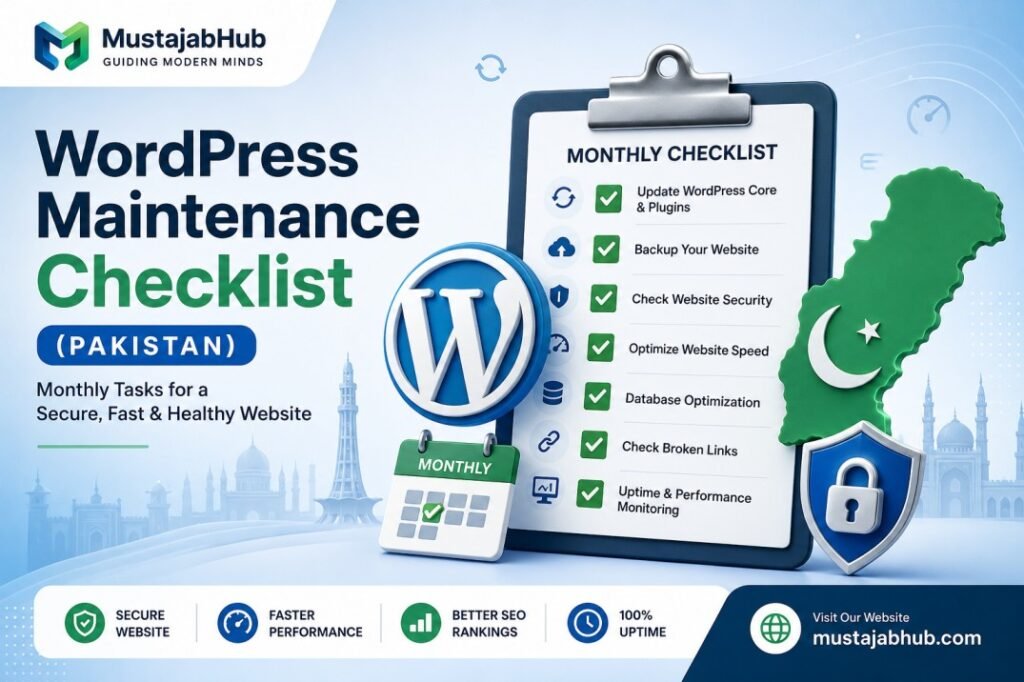

Quick answer: WordPress website maintenance for Pakistani businesses means running plugin and theme updates, checking backups, testing site speed, and scanning for security threats every single month — not once a year. Skip this, and the same three things happen every time: the site slows down, it becomes an easy hacking target, & its Google rankings quietly drop without anyone noticing why.
If you’re reading this, your site is probably doing one of two things right now: running fine but untouched since launch, or already showing signs of trouble — slow loading, weird pop-ups, or a sudden ranking drop. Either way, this WordPress website maintenance checklist gives Pakistani business owners exactly what to check, in what order, and how long each task actually takes.
If you run a business site in Pakistan, your WordPress website is not a “set it and forget it” brochure. It’s closer to a shop in a busy market. If you don’t check the locks, clean the shelves, & inspect the wiring, you eventually pay—through downtime, hacks, slow speed, or lost Google rankings.
And yes, people do ignore maintenance. Then they wake up to:
- a white screen
- a redirect to a spam site
- a checkout that stops working
- or a website that feels “heavy” on mobile
This article gives you a simple monthly routine that a non-technical business owner in Pakistan can follow.
Table of Contents
Why WordPress Website Maintenance in Pakistan Gets Ignored (And Why That’s Expensive)
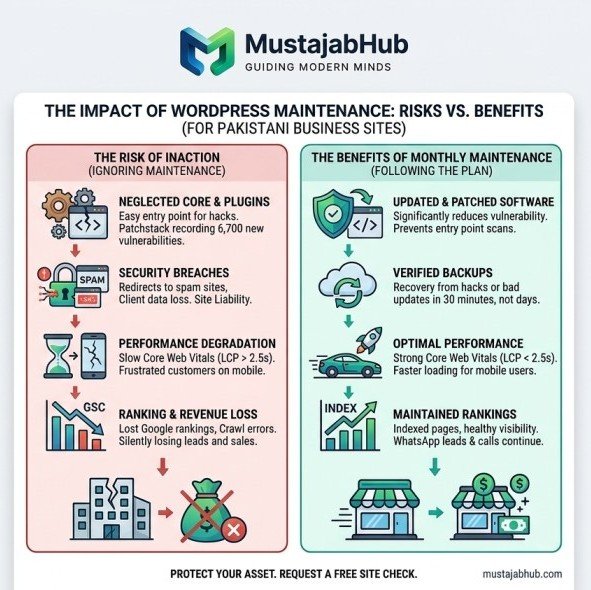
Most small business owners in Pakistan treat their website like a signboard — put it up once, forget it exists. That mindset is understandable, but it’s costly. A neglected WordPress site does not just underperform — it becomes a liability, and outdated plugins and themes are consistently the entry point hackers scan for. In fact, roughly 73% of hacked WordPress sites were running outdated software at the time of the attack.
The scale of the risk is bigger than most business owners realize. Patchstack recorded 6,700 new WordPress vulnerabilities in just the first half of 2025 alone, and separate industry data puts the number of hacked sites running outdated core, plugin, or theme software even higher, near 90%. That means the single biggest risk to your website isn’t some sophisticated attack — it’s simply not clicking “update” for six months.
The maintenance mindset (simple but powerful)
Here’s the easiest way to think about WordPress maintenance:
1) Updates reduce risk
Most attacks don’t happen because your business is “famous.” They happen because bots scan the internet for known weak versions.
2) Backups reduce damage
A backup is not “nice to have.” It’s the difference between:
- 30 minutes of recovery
and - 3 days of panic + lost leads
WordPress documentation explicitly recommends regularly backing up your site (server + local).
3) Performance protects leads
A slow site leaks customers. You may not notice it, but your customers do.
MustajabHub Field Notes: What We Find During Pakistani Site Audits
After auditing dozens of small business WordPress sites across Pakistan, a pattern shows up almost every time:
✓ Plugins haven’t been updated in 8+ months, often with known security patches sitting unapplied
✓ No backup plugin is installed at all — meaning one bad update could wipe the entire site.
✓ Contact forms silently stopped working after a plugin update, and nobody noticed for weeks.
✓ The site is still running an old PHP version that reached end-of-life years ago.
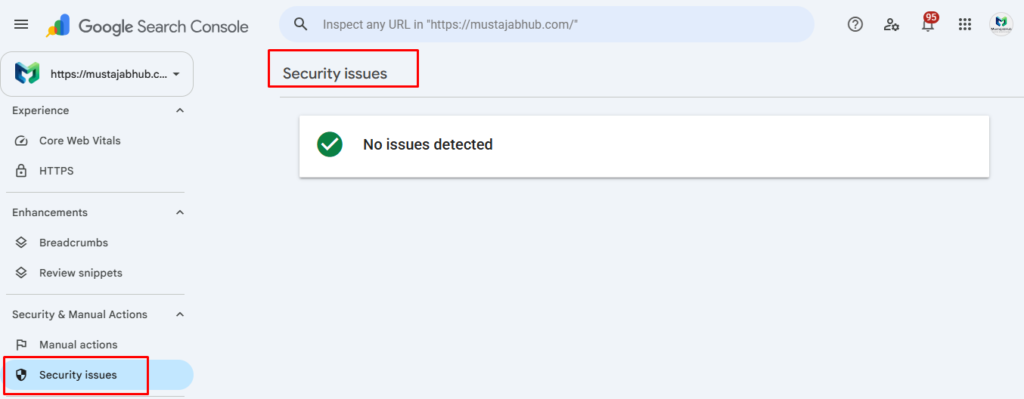
✓ No uptime monitoring exists, so the owner finds out the site is down from a customer complaint, not a tool.
None of these are complicated to fix. They’re just never scheduled — which is exactly the gap this present checklist solves.
The Monthly WordPress Maintenance Checklist
This is the core of any practical WordPress website maintenance routine for Pakistani business websites. Tasks are split by frequency so maintenance never turns into a full workday.
| Frequency | Tasks |
|---|---|
| Daily (5–10 min) | Check site is loading, confirm backup ran, glance at uptime monitor |
| Weekly (30–60 min) | Update plugins/themes after a quick test, clear spam comments, check broken links |
| Monthly (1–2 hrs) | Full security scan, database cleanup, speed test, review Search Console, update core WordPress |
| Quarterly | Deep security audit, test all forms, check file permissions, review PHP version |
| Yearly | Full content audit, hosting plan review, complete SEO health check |
Following this schedule consistently is what separates a reliable site from one that breaks at the worst possible moment. Daily tasks take about 10 minutes, weekly tasks take 30 to 60 minutes, and monthly tasks take 1 to 2 hours — realistic numbers, not an unpaid part-time job.
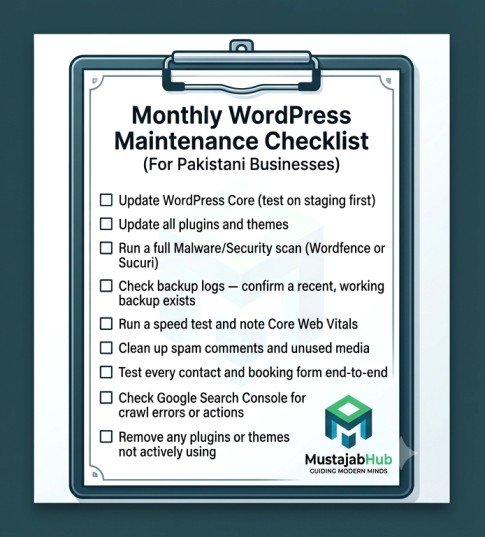
The Core Monthly Checklist (Copy This)
□ Update WordPress core (test on staging first if the site handles orders/leads)
□ Update all plugins and themes
□ Run a full malware/security scan (Wordfence or Sucuri)
□ Check backup logs — confirm a recent, working backup actually exists
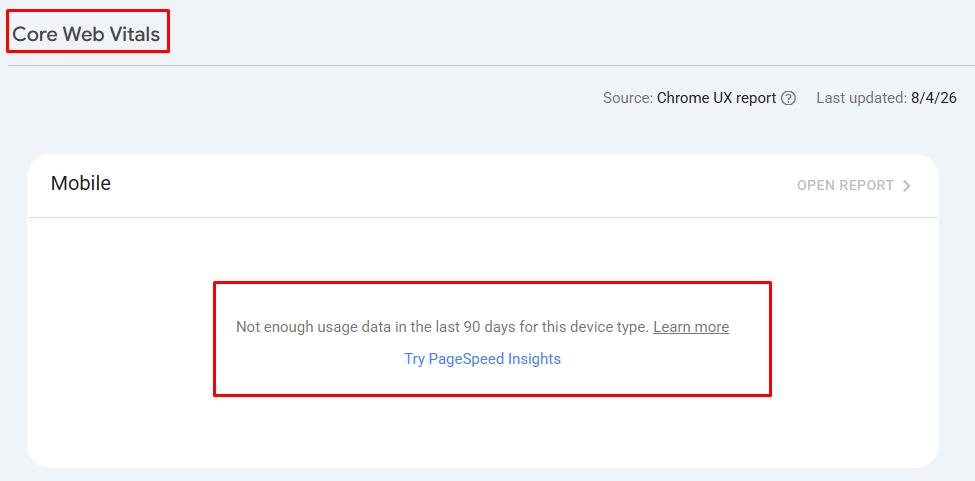
□ Run a speed test and note Core Web Vitals (LCP under 2.5 seconds is the target)
□ Clean up spam comments and unused media
□ Test every contact and booking form end-to-end
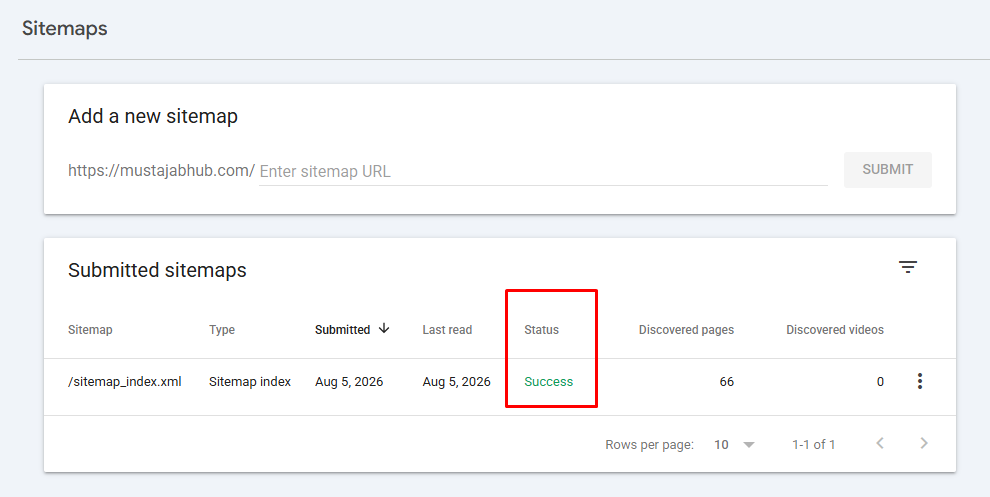
□ Check Google Search Console for crawl errors or manual actions
□ Remove any plugins or themes you’re not actively using
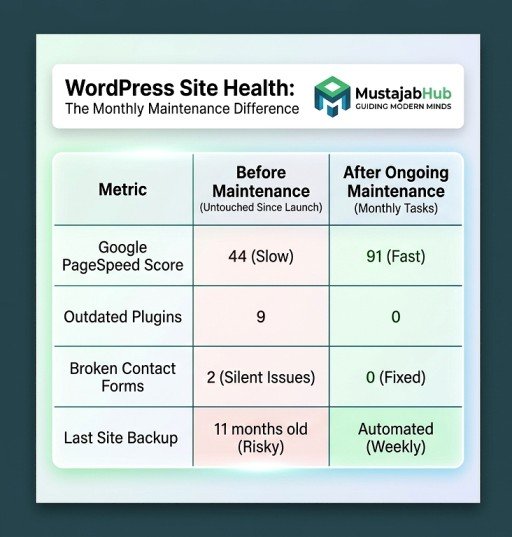
Example: Before and After a Proper Maintenance Pass
| Metric | Before Maintenance | After Maintenance |
|---|---|---|
| Site Speed Score | 44 | 91 |
| Outdated Plugins | 9 | 0 |
| Broken Forms | 2 | 0 |
| Last Backup | 11 months old | Automated weekly |
What actually produced this jump: removing three unused plugins that were silently loading scripts on every page, updating the theme to its latest version, compressing 40+ uncompressed product images, and setting up automated weekly backups through the hosting panel. None of this required a rebuild — just a proper maintenance pass.
Mini Case Study: A Local Clothing Store’s Silent Problem
A small clothing retailer’s WordPress store had been live for over a year with zero maintenance. The owner wasn’t losing sleep over it — the site looked fine and loaded “okay.” During an audit, we found the checkout form had been silently broken for roughly six weeks after a plugin update, meaning every customer who tried to complete an order during that window simply left. There was no error message, no notification — the form just stopped submitting. After the maintenance pass restored the form, updated the outdated plugins causing the conflict, and set up monthly monitoring, completed orders returned to normal within days. The owner had no idea how much revenue silently disappeared during those six weeks, and that’s exactly the risk unmonitored WordPress sites carry.
Plugins We Actually Use During WordPress Maintenance
Instead of listing random plugins, here is the exact maintenance stack we commonly use for Pakistani business websites.
| Task | Tool |
|---|---|
| Backups | UpdraftPlus |
| Security | Wordfence |
| Malware monitoring | Sucuri Scanner |
| SEO | Rank Math |
| Image optimization | Imagify |
| Cache | LiteSpeed Cache (LiteSpeed hosting) or WP Rocket |
| Database cleanup | WP-Optimize |
| Broken links | Broken Link Checker or Screaming Frog |
| Uptime monitoring | UptimeRobot |
These are tools we repeatedly recommend because they solve real maintenance problems rather than adding unnecessary plugins.
Security Plugins (Choose only 1 or 2 )
- Wordfence
- Sucuri
- Patchstack
- Cloudflare WAF
- Fail2Ban
- MalCare
- WPScan
- 2FA
- reCAPTCHA
- Least Privilege
Don’t Do This
- Don’t update WordPress core or major plugins directly on a live store site without testing first — a conflict can break checkout instantly.
- Don’t rely on “I’ll remember to back it up” — set up automated backups through your host or a plugin, since manual backups get forgotten.
- Don’t ignore plugin update notifications for months at a time; that delay is exactly what most hacks exploit.
- Don’t install a security plugin and assume the job is done — plugins alert you to problems, they don’t fix outdated software automatically.
What Can One Year Without Maintenance Cost?
Based on problems we regularly see during audits:
• Lost inquiries because contact forms silently stopped working
• Higher recovery costs after malware infections
• Ranking losses caused by poor Core Web Vitals
• Broken WooCommerce checkout during plugin conflicts
• Emergency developer fees that often cost far more than scheduled maintenance
Monthly maintenance is usually far less expensive than recovering from a hacked or broken website.
Maintenance Priority
| Task | Priority |
|---|---|
| Backup | Critical 🔴 |
| Plugin updates | Critical 🔴 |
| Speed test | High 🟠 |
| Database cleanup | Medium 🟡 |
| Image cleanup | Medium 🟡 |
Hosting Maintenance
- LiteSpeed
- CloudLinux
- PHP Version
- MySQL
- MariaDB
- HTTP/3
- CDN Cloudflare
Common mistakes Pakistani businesses make (and how to avoid them)
- They update everything at once → update in small batches
- They never test restore → test monthly
- They trust “host backups” blindly → keep an accessible backup plan
- They ignore mobile speed → track CWV monthly
- They keep old admins forever → review users monthly
Decision Tree: Do You Need Maintenance Help?
textHas your site been updated in the last 30 days?
        ↓ No → Start with the monthly checklist above this week
        ↓ Yes

Do you have automated backups running?
        ↓ No → Set this up first, before anything else
        ↓ Yes

Do you have time for 1–2 hours monthly, ongoing?
        ↓ No → Consider a managed maintenance plan
        ↓ Yes → You're in good shape — stay consistent
Maintenance Calendar
| Week | Task |
|---|---|
| Week 1 | Plugin updates |
| Week 2 | Backup verification |
| Week 3 | Speed optimization |
| Week 4 | Search Console review |
Downloadable Monthly Maintenance Worksheet
MustajabHub Insight
The biggest mistake we see in Pakistani business websites isn’t lack of budget — it’s lack of a schedule. Owners are willing to pay for a redesign but won’t set a monthly calendar reminder for a security scan that takes twenty minutes. A site that gets regular attention rarely breaks; a site that gets ignored eventually does.
A Pattern We Keep Seeing
One thing surprises us almost every month.
A business owner contacts us because “Google rankings suddenly dropped.”
After checking the site, rankings usually aren’t the actual problem.
Instead we find something underneath:
• expired SSL certificates
• plugins waiting months for updates
• broken forms
• failed backups
• PHP versions no longer supported
Fixing those maintenance issues often improves site stability before any SEO work even begins.
Time Estimates for Each Task
| Task | Time Needed |
|---|---|
| Plugin/theme updates | 15–20 minutes |
| Full security scan | 20–30 minutes |
| Speed test + fixes | 30–60 minutes |
| Backup verification | 5 minutes |
| Form testing | 10 minutes |
| Full monthly routine | 1–2 hours total |
Questions Pakistani Business Owners Actually Ask
Can I just set updates to run automatically and forget about it?
Partially. WordPress can auto-update minor core releases, and you can enable auto-updates for individual plugins, but tasks like testing forms, reviewing site speed, & auditing content still need a human to check. Automate what you can, and calendar the rest.
How do I know if my WordPress site was actually hacked?
Warning signs include sudden slow loading, unexpected pop-ups or redirects, new unfamiliar admin users, or a drop in Google rankings with no clear cause. A malware scan through Wordfence or Sucuri will confirm it.
Is WordPress website maintenance in Pakistan expensive to outsource?
It depends on the scope, but the cost of ongoing maintenance is almost always cheaper than recovering from a hack or lost sales from a broken form nobody noticed for weeks.
What’s the single most important maintenance task?
Keeping a current, verified backup. Every other problem on this list is recoverable if you have a clean, recent backup — without one, a hack or bad update can mean rebuilding from scratch.
What is WordPress website maintenance Pakistan for a small business?
WordPress website maintenance in Pakistan means monthly updates, backups, restore testing, security checks, speed checks (Core Web Vitals), and Search Console review. It keeps your site safe, fast, and stable—so customers can contact you and Google can keep ranking your pages.
How often should I update WordPress plugins?
At least monthly for normal sites, and faster when security fixes are released. WordPress treats updates as part of ongoing maintenance.
Who This Guide Is For
This blog guide is written for:
✓ Small business owners running their own WordPress site
✓ Online store owners using WooCommerce
✓ Anyone whose site has slowed down or “feels off” lately
✓ Business owners who haven’t touched their site since launch
Not Sure Where to Start?
If you’re unsure whether your website’s biggest issue is outdated plugins, a security gap, or a genuinely broken form nobody’s caught yet, start with a proper technical audit instead of guessing. Our web development team can review your current setup, and if speed is the core issue, our WordPress speed optimization service targets exactly that. You can view our full services here or request a free site check to see where things stand.
For additional technical reference, WordPress.org’s own security guidelines cover the fundamentals in more depth, and Sucuri’s WordPress hacked website report breaks down attack patterns across thousands of real sites each year.
About the Author Rana Umar is a content writer and website strategist at MustajabHub, where he writes practical WordPress maintenance and security guides for Pakistani business owners. His checklists come from real client audits, not recycled generic advice.
Read More Related Topics Here: Elementor vs Gutenberg Pakistan | WordPress Website Development Cost in Gujranwala | WordPress vs Custom Website Pakistan