
WordPress Speed Optimization Service in Pakistan
Slow WordPress sites lose rankings, leads, and sales. We improve Core Web Vitals (LCP, INP, CLS), reduce TTFB, and fix real performance bottlenecks (hosting, caching, images, code, database) — without changing your design.
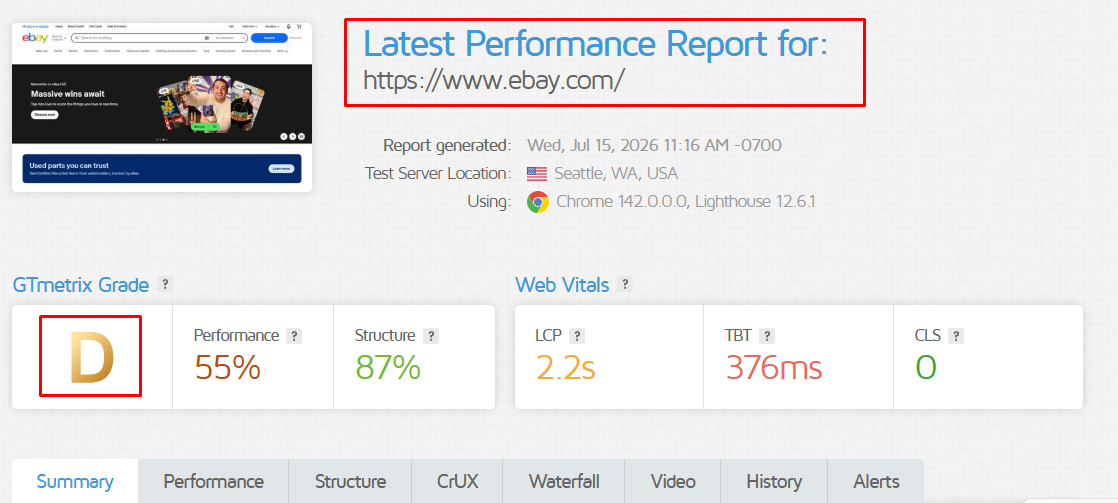
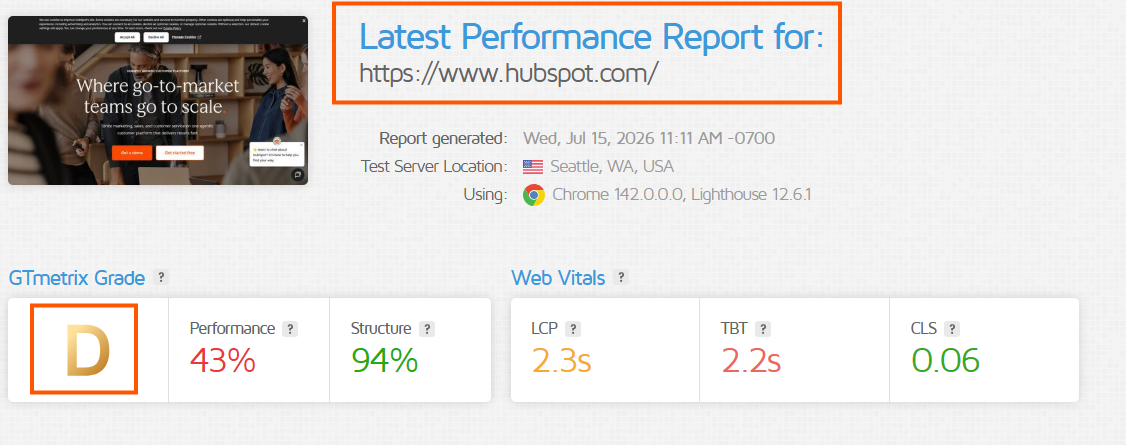
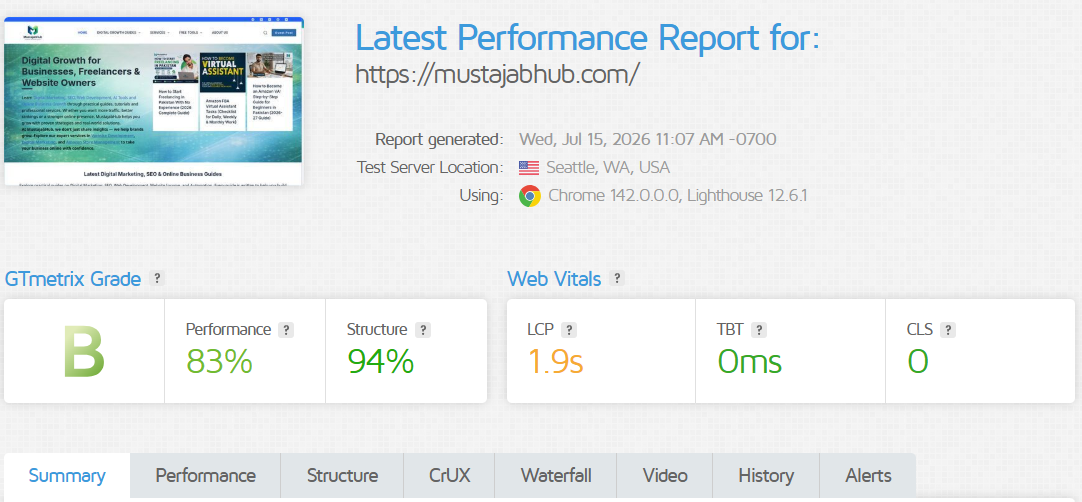
Audited with Google PageSpeed Insights, GTmetrix, WebPageTest, and real Chrome User Experience Report (CrUX) data — not just a lab score. We verify improvements using Google PageSpeed Insights (Lighthouse), GTmetrix waterfall, and real-user data (CrUX / Search Console).
Why Your Slow WordPress Site Is Costing You Visitors, Leads, and Rankings
A one-second delay in page load time reduces conversions by approximately 7%. On mobile — where most Pakistani visitors browse — more than 50% of users abandon a site that takes longer than 3 seconds to load. That is not a design problem or a content problem. It is a technical one, and it is fixable.
Google measures your site's speed through Core Web Vitals: three specific signals that became official Google Search ranking factors in 2021. If your site fails any of them, you are harder to find in search results before a visitor even reaches your page.
LCP — Largest Contentful Paint
Target: under 2.5 seconds
Plain English: How fast your page's main visible content — usually your hero image or headline — appears on screen. This is Google's primary measure of "did the page load?" and the metric most WordPress sites fail.
INP — Interaction to Next Paint
Target: under 200ms
Plain English: How quickly your page responds when someone clicks a button, a menu item, or a form field. INP replaced FID (First Input Delay) as a Core Web Vital in March 2024. Slow INP makes your site feel broken or unresponsive, even if it looks fine.
CLS — Cumulative Layout Shift
Target: under 0.1
Plain English: How much your page layout jumps around while it is loading — when images pop in and push text down, or ads appear and move content you are trying to click. CLS is why visitors accidentally tap the wrong thing on mobile.
TTFB — Time to First Byte
Target: under 800ms
Plain English: How long your server takes to wake up and send the first piece of data to a visitor's browser. TTFB is not a Core Web Vital, but it is the root cause of most LCP failures. A slow TTFB means everything else is delayed before it even starts. Fixing TTFB usually requires improving hosting or adding server-side caching.
8 Most Common Reasons WordPress Sites Run Slow
Most WordPress sites do not slow down from one big problem. They slow down from a stack of small ones that compound each other. Here are the eight issues we find most often in our audits:
Unoptimized Images
Full-size JPEGs and PNGs instead of compressed WebP or AVIF images. A single 3MB hero image can add 2–4 seconds to your LCP score on mobile connections.
LCP impact: HighSlow Hosting / High TTFB
Shared hosting with no server-side caching makes your server respond slowly on every single request. This is the most common root cause of poor Core Web Vitals in Pakistan.
LCP & TTFB impact: HighToo Many Plugins
Every plugin adds PHP execution time and often loads its own CSS and JavaScript on every page, even when those files are only needed on one page.
INP & LCP impact: HighRender-Blocking CSS & JavaScript
Scripts and stylesheets that load before your page content force the browser to pause rendering. This delays how quickly visitors see anything at all.
LCP impact: HighDatabase Bloat
Thousands of post revisions, spam comments, expired transients, and orphaned metadata slow down every database query your site runs — including admin.
TTFB impact: MediumNo Caching Setup
Without page caching, WordPress rebuilds every page from scratch for every visitor. One cache miss that should take 0.1 seconds instead takes 1–3 seconds of PHP + database work.
TTFB & LCP impact: HighNo CDN (Content Delivery Network)
Without a CDN like Cloudflare, visitors in Lahore, Karachi, or abroad load images and scripts from your single server location, adding 100–400ms of avoidable latency per request.
LCP impact: Medium–HighThird-Party Scripts
Chat widgets, Facebook Pixel, Google Tag Manager with excessive tags, YouTube embeds — each is a separate network request that can delay your page regardless of how well everything else is optimized.
INP & CLS impact: MediumWhat a Real WordPress Speed Audit Actually Checks
Before we change a single file, we test and measure everything. We don't guess. We measure with PageSpeed Insights (Lighthouse), GTmetrix waterfall, WebPageTest, and real-user metrics (CrUX/Search Console). Here is the full list of what we analyze in your free audit:
Server Response Time (TTFB)
Measured with WebPageTest and GTmetrix. TTFB is where most WordPress speed problems originate — Server response time + PHP/MySQL performance + caching effectiveness.
Core Web Vitals (LCP, INP, CLS)
We check both lab data (Lighthouse, PageSpeed Insights) and real-world field data from Google's Chrome User Experience Report (CrUX) — both lab test and field data where available.
Image Weight and Format
Whether images are served as WebP or AVIF, whether they are compressed, and whether lazy-loading is correctly applied to below-the-fold images without harming LCP.
Caching Layers + Headers
Page caching, browser caching, and object caching (Redis or Memcached where available). We check whether your existing caching plugin and hosting caching are working together or conflicting.
JavaScript and Code Delivery
Critical CSS, minify, defer/delay JS, remove unused CSS/JS safely. Which scripts are render-blocking, which CSS can be inlined as critical, and which Elementor or theme assets are loading on every page unnecessarily.
Database Health + Waterfall Bottlenecks
Which file/script blocks loading (themes, plugins, fonts, third-party tags). Post revisions, orphaned metadata, spam comments, expired transients, and slow queries — identified with Query Monitor and WP-CLI.
Mobile Performance
Google's ranking uses mobile-first indexing, so mobile Core Web Vitals are the ones that actually determine your position. We test mobile separately, not as an afterthought.
CDN and Cloudflare Configuration
Whether static assets are served through a CDN, and whether Cloudflare caching rules are correctly configured for WordPress (many default Cloudflare setups actually bypass caching).
Third-Party Script Impact
Facebook Pixel, Google Analytics, chat widgets, YouTube embeds — measured individually so you know exactly which external scripts are causing the most delay.
Tools we use for auditing:
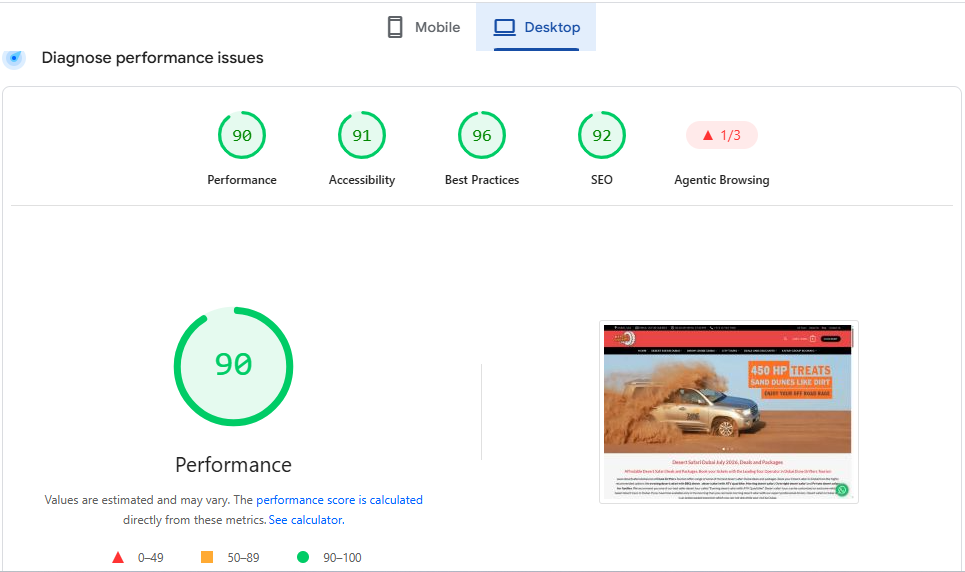
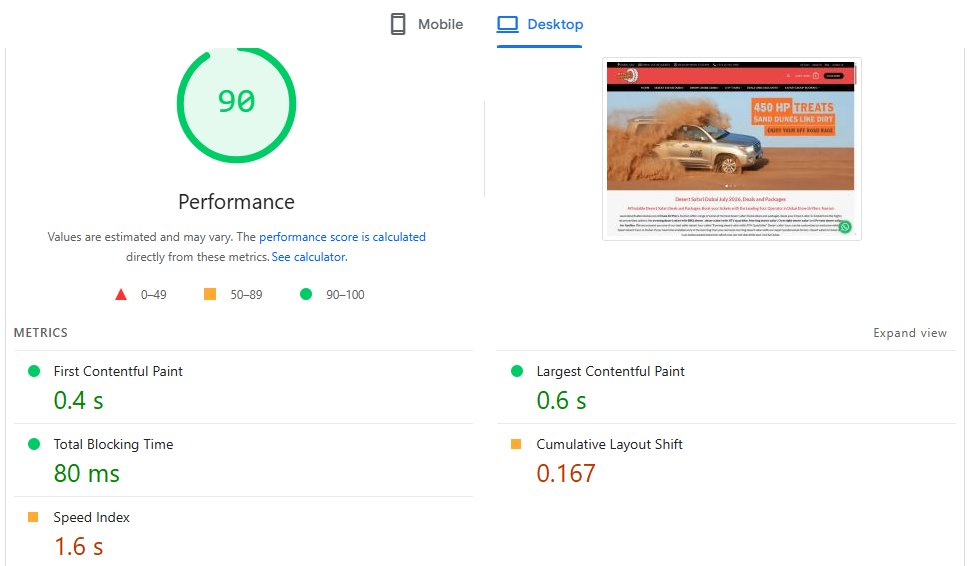
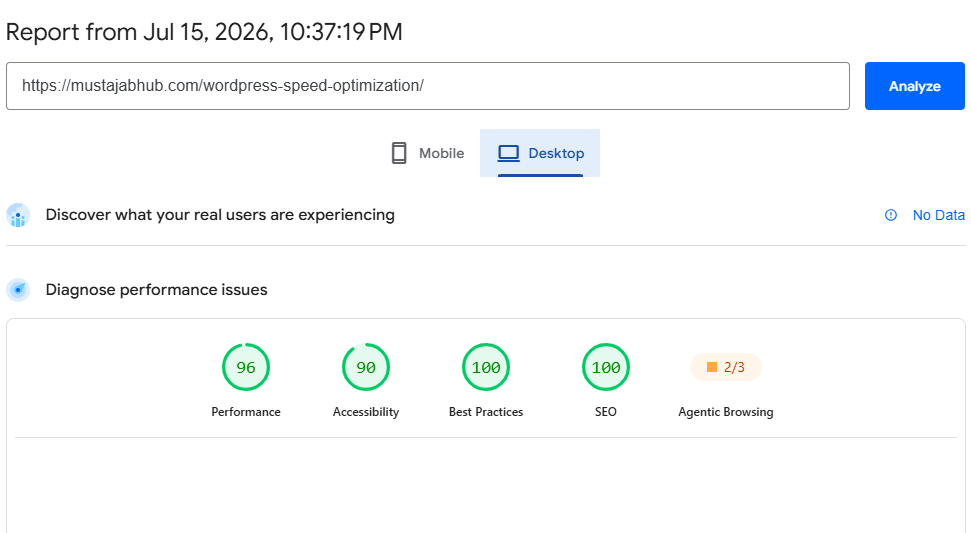
What’s included in WordPress speed optimization
We optimize the full stack: server → caching → images → code → database → CDN. That’s how you improve LCP/INP/CLS consistently.
Hosting & server tuning
Reduce TTFB with caching, PHP/OPcache checks, and clean server setup.
Caching setup (3 layers)
Page cache + browser cache + object cache (Redis where supported).
Image optimization
Compression, WebP/AVIF, lazy-load, responsive sizes to improve LCP.
CSS/JS delivery
Minify, defer, delay, and safely exclude critical scripts (checkout/login).
Database cleanup
Remove bloat and improve query performance for frontend + admin speed.
CDN + compression
CDN edge caching plus Brotli/GZIP and HTTP/2/HTTP/3 where possible.
What Proper Core Web Vitals Optimization Delivers
These are published case studies from Google's web.dev library — independently documented by the named companies, not MustajabHub client results. They show what is realistically achievable when Core Web Vitals are systematically addressed. Once we audit your site, we show you your own numbers first.
increase in sales revenue
longer session time per user
increase in organic search traffic
increase in ad revenue
revenue per visitor increase
higher conversion rate
What a Typical Optimization Looks Like
This is an illustrative example of the kind of improvement we target — the exact numbers depend on your site's starting condition and hosting setup. Your free audit shows your actual baseline numbers.
Illustrative ranges based on common outcomes. Actual results depend on your hosting, site size, and which issues are found in the audit. We show you your real numbers before any work begins.
Everything Included in Your WordPress Speed Optimization
We work through six technical layers in sequence — each one depends on the one before it. This is why random plugin installs rarely solve speed problems permanently.
1. Hosting & Server Configuration
Configuring PHP version, memory limits, and server-side caching. A well-configured server on shared hosting consistently outperforms an unconfigured one on a VPS.
2. Three-Layer Caching
Page cache (pre-built HTML served instantly), browser cache (returning visitors load from their device), and object cache with Redis where your host supports it.
3. Image Optimization
Compressing and converting all images to WebP and AVIF formats, adding lazy-loading to below-fold images, and setting explicit dimensions to prevent CLS.
4. Code Optimization
Minifying CSS and JavaScript, deferring non-critical scripts, inlining critical CSS, and removing unused CSS from Elementor-built pages page-by-page.
5. Database Optimization
Deleting post revisions, clearing expired transients, removing spam comments and orphaned metadata, and optimizing database tables for faster queries.
6. CDN Setup (Cloudflare)
Configuring Cloudflare so static assets are served from edge servers globally — including correct cache rules for WordPress so dynamic pages aren't accidentally cached.
Brotli Compression
Enabling Brotli compression (the successor to Gzip) on supported servers — Brotli typically reduces text-based file sizes 15–20% better than Gzip at the same quality level.
WooCommerce-Specific Tuning
Cart and checkout pages require selective cache exclusion. We also configure payment gateways (JazzCash, EasyPaisa, Stripe) to load only on checkout pages, not sitewide.
It changes how fast your site does what it already does.
Themes and Builders We Optimize
WordPress Speed Optimization for Pakistan-Based Businesses
Generic speed optimization guides are written for US or UK internet conditions. Pakistan's web environment has specific characteristics that affect which optimizations matter most and in what order.
Server Location & Latency
A visitor in Lahore loading assets from a server in Singapore or Germany adds 150–400ms of network latency before any page content starts rendering. We recommend hosting your WordPress site on servers with data centers in Singapore, India, or through Cloudflare's global CDN to minimize TTFB for Pakistani visitors.
Mobile-First Traffic
Pakistan's web traffic is overwhelmingly mobile, and a significant portion uses 4G connections where server response time and file size matter more than on broadband. Google's mobile-first indexing means your mobile Core Web Vitals score — not desktop — is what determines your search ranking.
Local Payment Plugin Conflicts
JazzCash, EasyPaisa, and similar Pakistani payment plugins often load their scripts on every page, not just checkout. This adds unnecessary JavaScript weight sitewide. We configure these to load only on WooCommerce checkout pages, which can meaningfully improve INP scores across your entire site.
Shared Hosting Reality
Most Pakistani WordPress sites run on shared hosting plans. While moving to cloud hosting is ideal, properly configured shared hosting with LiteSpeed Cache, Cloudflare, and server-side caching can pass Core Web Vitals even on affordable plans — if the configuration is correct.
WordPress speed guide (2026)
Step-by-step fixes for caching, images, Core Web Vitals, and hosting.
All Services
Browse all MustajabHub services in one place.
Technical SEO & Performance Fix
When rankings are blocked by technical issues (indexing, CWV, errors).
Web Development Services
Need a rebuild for speed + conversions? Sometimes optimization isn’t enough.
Cities and Regions We Work With
We work with businesses based across Pakistan and serve international clients remotely. Location does not affect our process — everything is done remotely through shared screen access and staging sites.
International Clients
We also work with clients in the UK, UAE, Saudi Arabia, USA, Canada, and Australia — billed in USD, communicated in English, delivered on the same timeline.
How WordPress Speed Optimization Works — Step by Step
Every optimization follows the same sequence. Skipping steps is how "speed services" create new problems while fixing old ones.
Free Audit
We run your site through Google PageSpeed Insights, GTmetrix, and WebPageTest, then analyze the results. You get a plain-language summary of what's slowing you down and what it would take to fix it — before you decide whether to proceed.
Staging Site
We create a staging copy of your site before touching anything live. Every change is tested on staging first. Your live site keeps running normally while we work.
Optimization
We work through hosting, caching, images, code, and database in sequence — because each layer affects the next. We re-test after every significant change, not just at the end.
Verification
Before pushing to live, we verify that all plugins function, your forms submit correctly, checkout works, and nothing is visually broken. We check both desktop and mobile.
Deploy & Report
We push the optimized site live and send you a comparison report showing before-and-after scores for PageSpeed, LCP, TTFB, CLS, and INP — not just a screenshot, but an explanation of what changed and why.
Most business sites: 2–4 business days. WooCommerce stores and larger sites: up to 7 business days.
You get an exact timeline after your free audit.
What WordPress Speed Optimization Costs
Pricing depends on your site's size and technical complexity — the free audit tells us exactly what applies to you. Below are our starting ranges so you can plan accordingly.
Standard Business Site
PKR 15,000 – 30,000 approx. $55 – $110 USD- Up to 15 pages
- Caching configuration
- Image optimization
- Basic code optimization
- Cloudflare setup
- Before/after report
WooCommerce / Larger Sites
PKR 35,000 – 65,000 approx. $125 – $235 USD- WooCommerce-specific tuning
- Checkout & cart optimization
- Payment plugin configuration
- Database optimization
- Full code delivery optimization
- Redis object cache (where available)
- Before/after report
International Clients (USD)
From $99 USD Quoted after free audit- All services available
- Communication in English
- Payment via Wise / PayPal
- Same delivery timeline
- UK, UAE, USA, Canada, Australia
All prices are starting points — your free audit gives us an exact scope before we quote. No surprise charges.
Client Success Stories
"We wanted a faster website before launching our seasonal campaign. The optimization process was explained in simple language, and every change was documented. After the work was completed, our pages loaded much faster on mobile, images opened instantly, and customers could browse products without delays."
Ahsan Raza Owner, Local Clothing Store 🇵🇰 Lahore, Pakistan"I had tried several caching plugins myself, but the website was still slow. MustajabHub identified unnecessary scripts, optimized images, improved caching, and fixed several issues I didn't even know existed. The website now feels much smoother, especially on mobile devices."
Hina Tariq Travel Blogger 🇵🇰 Islamabad, Pakistan"Website speed has a direct impact on user experience, so I was looking for someone who could optimize performance without breaking the design. The work was completed professionally, communication stayed clear throughout the project, and every optimization was explained before implementation."
Michael Carter Founder, BrightPixel Studio 🇺🇸 Austin, Texas, USAWordPress Speed Optimization — Questions Answered
Common questions about Core Web Vitals, caching, PageSpeed scores, and what our service actually does.
A score of 90 or above is considered "Good" by Google. For most WordPress business sites, a mobile score of 80–95 is a realistic target after proper optimization. The raw score matters less than whether your Core Web Vitals thresholds pass: LCP under 2.5 seconds, INP under 200ms, and CLS under 0.1. You can check your current score for free at pagespeed.web.dev.
LCP (Largest Contentful Paint) measures how fast your main visible content appears — target under 2.5 seconds. INP (Interaction to Next Paint) measures how quickly your page responds to clicks and taps — target under 200ms. INP replaced FID as a Core Web Vital in March 2024. CLS (Cumulative Layout Shift) measures how much your layout moves while loading — target under 0.1. All three are official Google Search ranking signals.
TTFB (Time to First Byte) is how long your server takes to respond before any content starts loading. Google recommends under 800ms. A slow TTFB — typically caused by slow hosting, no server-side caching, or a bloated database — delays everything else that follows. Fixing TTFB is the first step in any real WordPress speed optimization because no amount of image compression or JavaScript deferral can compensate for a server that takes 2 seconds to wake up.
Both are excellent, but the right choice depends on your hosting. LiteSpeed Cache is free and works exceptionally well on LiteSpeed servers (Namecheap, Hostinger, SiteGround, and many others use LiteSpeed). WP Rocket is a paid plugin that works on any server and is the most full-featured option available. For most Pakistani hosting environments, LiteSpeed Cache properly configured outperforms WP Rocket on LiteSpeed servers. We recommend the right tool for your specific setup — not one-size-fits-all advice.
No — when done correctly. The risk comes from aggressive CSS/JS optimization that removes Elementor's required assets. We use page-level asset management so that each page only has the CSS and JavaScript it specifically needs, without removing anything that breaks the layout. We test every page on a staging copy before touching the live site, so any incompatibility is caught and resolved before visitors ever see it.
Most standard WordPress business sites are optimized within 2–4 business days. WooCommerce stores, sites with custom plugins, or sites on restrictive hosting that requires additional configuration typically take up to 7 business days. You receive an exact timeline after your free audit, once we know what your site specifically needs.
A one-time optimization fixes your site's current speed problems. Over the following months, as you publish new content, install plugin updates, and add images, performance gradually degrades again. Ongoing maintenance keeps your Core Web Vitals monitored, catches new issues before they become major regressions, and keeps your database clean. If you publish content frequently or run an eCommerce store, ongoing maintenance is the better long-term investment. If your site changes rarely, a one-time fix is often sufficient for 6–12 months.
For a standard WordPress business site, speed optimization starts from PKR 15,000 (approximately $55 USD). WooCommerce stores and larger, more complex sites typically range from PKR 35,000 to PKR 65,000 (approximately $125–$235 USD), depending on technical complexity. International clients are quoted in USD, starting from $99. Your free audit tells us exactly what your site needs before you commit to anything.
For auditing: Google PageSpeed Insights, GTmetrix, WebPageTest, Lighthouse, Chrome DevTools, Google Search Console, and Chrome User Experience Report (CrUX). For optimization: LiteSpeed Cache or WP Rocket for caching, Cloudflare for CDN and Brotli compression, ShortPixel or Imagify for WebP image conversion, Perfmatters for script management, WP-Optimize for database cleanup, Query Monitor for database profiling, and Redis Object Cache where the hosting environment supports it.
Yes. We regularly work with WordPress sites on Pakistani shared hosting providers. The approach is different from optimizing a site on cloud hosting — shared hosting has more constraints but most Core Web Vitals issues are still solvable with the right configuration. In cases where the hosting itself is the primary bottleneck (extremely slow TTFB regardless of caching), we'll tell you that clearly in the audit and explain what changing hosts would realistically improve, so you can make an informed decision.
Related Services & Resources from MustajabHub
Speed optimization works best as part of a complete technical foundation. These related services build on the same performance-first approach.
Supported WordPress setups
Visitors often ask: “Can you optimize my exact setup?” This section answers that instantly.
Builders
Elementor, Gutenberg, WPBakery, Divi, Bricks (performance depends on build quality).
Stores
WooCommerce (special handling: cart/checkout exclusions + logged-in caching rules).
Themes
Astra, GeneratePress, Kadence, Hello Elementor, and custom themes.
Hosting
LiteSpeed hosting, cPanel shared hosting, VPS, and managed WordPress hosting.
CDN
Cloudflare (and other CDNs) with correct caching rules + asset optimization.
Analytics / tracking
GA4, Meta Pixel, Tag Manager — loaded safely so tracking doesn’t kill INP.
WordPress speed optimization
If someone asks “why is my WordPress website slow?”, these are the real answers (and what we fix).
What is WordPress speed optimization?
Improving server response, caching, image delivery, and code loading so pages load faster and pass Core Web Vitals.
What does Google measure?
LCP (main content load), INP (tap/click response), CLS (layout shifts) plus TTFB.
Will it break my site?
It shouldn’t. We apply changes gradually, exclude sensitive pages (checkout/login), and re-test after each change.
How long does it take?
Most business sites: 2–4 days. WooCommerce / heavy Elementor builds: up to 7 days depending on bottlenecks.
Pakistan-specific reality
Shared hosting + mobile-first traffic makes TTFB and image weight the #1 causes. CDN + caching matters more here.
What you receive
Before/after test results, what changed, what’s excluded, and a simple report you can keep for your records.
Get a free WordPress speed audit (Pakistan + worldwide)?
Send your website URL and we’ll reply with: biggest speed bottlenecks, what to fix first, and what improvement is realistically achievable for your setup. We show you exactly what is slowing your site down and what fixing it would take, before you commit to anything.