




Time management for freelancers is the difference between a calm, profitable week and a panicked, overworked mess. You sit down to work, open your laptop, and suddenly two hours are gone — to emails, client messages, and random tasks that were not even on your list.
Sound familiar? You are not alone. In 2026, the average full-time freelancer works more than 40 hours per week — about 43 hours on average. That is the same as a traditional job. But here is the difference: the time you spend freelancing includes both billable and non-billable work, and freelancers spend a lot of time on non-billable work because they run their entire businesses themselves. Almost half of freelancers spend approximately 6 hours a week on non-billable activities — administration & accounting alone. That is 6 hours per week you are not getting paid for. Over a year, that adds up to more than 300 lost hours.
This guide gives you 12 practical, working tips for time management as a freelancer — with real daily schedules, tool comparisons, and step-by-step plans you can start using today.
Quick Answers First (People Also Ask)
How do freelancers manage time? Freelancers can manage time by planning out the day with clear priorities, limiting distractions, using tools to stay organized, and scheduling regular breaks. The key is consistency — small daily habits add up to long-term productivity.
What is the 3-3-3 rule for time management? The 3-3-3 rule means you spend your first 3 hours on your most important task, then complete 3 medium tasks, then handle 3 small maintenance items. It helps you stop feeling overwhelmed by long to-do lists and gives your day a clear structure you can actually follow.
How many hours do freelancers work in a day? Freelancers work for at least 6 hours a day on average. However, this varies according to the project. Some projects require just 2 to 3 hours of work a week, while some tasks require dedicated work of 8 or more hours a day.
Can I make $1000 a month freelance writing? Yes, absolutely.Most of the six-figure freelancers work less than 30 hours a week — usually closer to 20 billable hours. Making $1,000 per month as a beginner is very realistic. Two or three regular clients paying for monthly content can get you there within 60 to 90 days.
What are the 4 types of time management? For freelancers, the 4 main types are: (1) Billable work — the actual paid client work, (2) Administrative tasks — invoicing, emails, and tracking, (3) Business development — outreach, proposals, and marketing, & (4) Skill development — learning new tools and improving your craft. Most freelancers only focus on type 1 and ignore the rest. That is why they stay stuck.
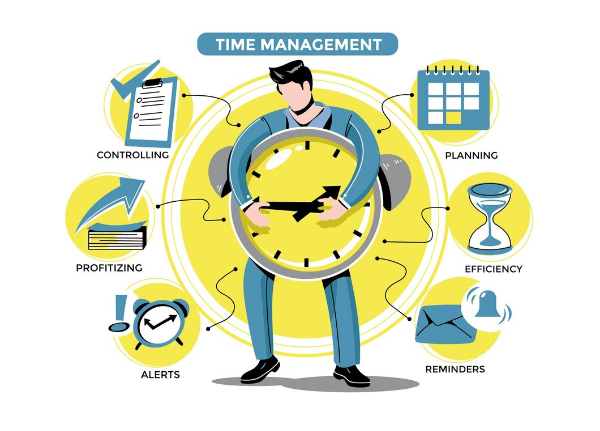
Why Time Management for Freelancers Is Different From Regular Jobs
When you work a normal job, your boss sets your schedule. Someone tells you when to start, what to work on, and when to stop.
When you freelance, there is nobody doing that. You are the boss, the worker, the accountant, and the customer support team — all in one person. Statistics show that the number one reason people choose to freelance is to gain flexibility in their schedules. However, a flexible schedule also comes with a few pitfalls. Flexibility can help develop a healthy work-life balance and fulfillment, but it can also be a recipe for procrastination, disorganization, and lowered productivity. Being your own boss sounds great, but it requires massive self-discipline. Procrastination is a real threat. You need to be highly organized, manage your time effectively, and set boundaries to avoid burnout.
The freelancers who earn well are not always the most talented. They are the most organized. Let us build that organization — step by step.
The Real Numbers: How Freelancers Spend Their Time
Before the tips, look at what the data actually shows about how freelancers spend their hours:
| Activity | Average Time Per Week | Paid or Unpaid? |
|---|---|---|
| Billable client work | 25–30 hours | ✅ Paid |
| Admin (invoicing, emails, tracking) | 6+ hours | ❌ Unpaid |
| Finding new clients / outreach | 3–5 hours | ❌ Unpaid |
| Learning new skills | 2–3 hours | ❌ Unpaid |
| Meetings and calls | 2–4 hours | Sometimes paid |
| Total weekly hours | 38–48 hours |
Approximately 54% of freelancers work five days each week.Three out of ten freelancers claim they work more than five days each week.
The problem is not the hours. The problem is how those hours are distributed. Most freelancers spend too many hours on unpaid work and not enough structure on the paid work hours.
12 Real Time Management Tips for Freelancers in 2026
Tip #1: Find Your Peak Hours and Protect Them
Not everyone does best from 9 to 5. As a freelancer, you have flexibility; use it.Setting a daily plan and keeping to a habit is essential for freelancers. First, establish your peak productivity hours. One of the perks of freelancing is that you do not have to work 9-5 anymore, so find a time when you are most focused.
How to find your peak hours:
- For one full week, write down when you feel sharp and focused
- Note when you feel tired or distracted
- Schedule your most important client work during your sharpest 2 to 3 hours
- Save emails, admin, and social media for your low-energy hours
For most people, peak focus hours fall between 8 am and 12 pm. But if you are a night person — work at night. The key is to stop fighting your natural rhythm and start using it.
Tip #2: Use Time Blocking to Stop Task-Switching
Task-switching destroys your productivity. Every time you jump from writing an article to checking WhatsApp to responding to a client email — your brain needs 15 to 25 minutes to get back into deep focus. Time blocking provides structure, discipline, and the ability to build a timetable that allows you to enjoy all of the benefits of freelancing, such as flexibility, while avoiding procrastination.
A simple daily time-block plan:
| Time Slot | What to Do |
|---|---|
| 8:00 – 10:00 am | Deep work — your main client project |
| 10:00 – 10:15 am | Short break |
| 10:15 – 12:00 pm | Continue main project or second project |
| 12:00 – 1:00 pm | Lunch — no phone, no laptop |
| 1:00 – 2:00 pm | Client emails and messages |
| 2:00 – 3:30 pm | Smaller tasks — revisions, invoices |
| 3:30 – 4:00 pm | Outreach or planning for tomorrow |
| 4:00 pm | Stop — shut the laptop |
Write this on paper and stick it near your desk. It takes 3 days to feel normal. After 2 weeks, it becomes automatic.
Tip #3: Apply the 3-3-3 Rule Every Morning
When you wake up and look at a list of 20 tasks, your brain freezes. Nothing gets done.
The 3-3-3 rule simplifies your day:
3 hours on your most important task (the one that earns money or moves your biggest project forward)
3 medium tasks that need attention today but do not need deep concentration (example: reply to 3 client emails, check one invoice, update one project document)
3 small maintenance items (example: back up one file, check your calendar for tomorrow, send one follow-up message)
That is your entire day. Simple. Clear. Doable.
Most freelancers fail because they try to do everything. The 3-3-3 rule forces you to choose what actually matters.
Tip #4: Try the Pomodoro Technique for Deep Work
The Pomodoro Technique is one of the most tested time management methods in the world. It is simple:
- Set a timer for 25 minutes
- Work on ONE task only — no interruptions
- When the timer rings, take a 5-minute break
- After 4 rounds of 25 minutes, take a 20-minute break
This works because it makes big projects feel small. Instead of thinking “I have to write a 2,000-word article today” — you think “I have to write for 25 minutes.”
Apps that run Pomodoro timers for free:
- Forest (also blocks distracting apps)
- Focus To-Do (combines Pomodoro + to-do list)
- Toggl Track (time tracking + Pomodoro in one)
Ever heard of Parkinson’s Law? It states that “Work expands to fill the time available for its completion.” If you give yourself two weeks to complete a task, that is how long it will take you, even if you can finish it in five hours. The Pomodoro Technique directly fights this by giving you a short, fixed window.
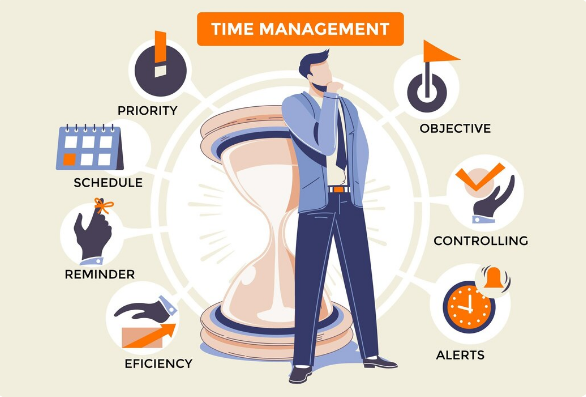
Tip #5: Track Your Freelance Hours (Even If You Charge Flat Rates)
Many freelancers think time tracking is only for people who charge hourly. That is wrong. Tracking your hours is important even if you charge flat rates — because it shows you how long projects actually take.According to ABA research, same-day time entries capture about 90% of billable time, but entries made after 24 hours drop to just 75% — and after a week, as low as 30%. Freelance time tracking done the right way solves all those problems. Whether you charge hourly, per word, or a flat rate, how you track your time dictates how much you make.
Why tracking helps even flat-rate freelancers:
- You discover that a “5-hour project” actually takes 9 hours → you raise your rate next time
- You see which clients take the most unpaid communication time
- You invoice more accurately and argue scope creep with data
- You identify your most profitable services and do more of them
Best Free Time Tracking Tools for Freelancers (Comparison)
| Tool | Best For | Free Plan | Standout Feature |
|---|---|---|---|
| Toggl Track | Writers, designers, developers | ✅ Unlimited tracking | One-click timer, clean reports |
| Clockify | Multiple clients and projects | ✅ Unlimited users | Project dashboard, invoicing |
| Harvest | Freelancers who send invoices | ✅ Limited (2 projects) | Invoicing built in |
| TimeCamp | Automatic time detection | ✅ Unlimited tracking | Tracks apps automatically |
| Hive | Project + time in one tool | ✅ Free plan | Task and time combined |
Start with Toggl Track — it is the most popular free tool and takes less than 2 minutes to set up.
Tip #6: Separate Your Work Space From Your Living Space
Freelancers frequently struggle to maintain a healthy work-life balance due to the blurring distinctions between business and personal life. To tackle this difficulty, establish boundaries and designate a certain workspace.Separate your work area from your living space to minimize distractions. Establish specific times for work and leisure, and communicate these boundaries to your clients and loved ones.
This is especially important in Pakistan, India, and Bangladesh where many freelancers work from family homes with shared spaces.
Practical ways to create a work zone at home:
- Use one chair, one desk, one corner — and only work there
- Put on headphones when working — it signals to family: “I am busy”
- Close the door (or hang a “working” sign if there is no door)
- Tell your family your working hours — 9 am to 1 pm, or whatever fits your life
- When work time ends, leave that space physically — go to another room
1 Another powerful hack for time management is creating rituals. Our brains and bodies recognize patterns, and having certain “getting to work” rituals can help you bust through procrastination. If you have a specific ritual you carry out before starting work each day, this sends signals to your mind and body that it is time to settle down and focus.
Your ritual can be as simple as: make tea, sit at your desk, open your task list. That is it. Do it every day and your brain will start switching into “work mode” automatically.
Tip #7: Manage Scope Creep Before It Steals Your Time
Scope creep is when a client slowly adds more work to a project without paying for it. It starts small: “Can you just quickly fix this one thing?” Then it becomes: “Can you also add a new page?” Then: “Can you rewrite this whole section?”
Before you know it, a 5-hour project becomes 12 hours — and you are still getting paid for 5.
3 ways to stop scope creep:
1. Write every project as a scope document Before starting, write in one paragraph exactly what you will deliver. Share it with the client. Ask them to agree in writing (even a “yes, agreed” on WhatsApp counts).
2. Track scope changes in writing When a client asks for something extra, say: “That sounds good — it falls outside our current scope, so I will send you a small add-on quote. It will take approximately X hours at my rate of Y.”
3. Know your revision limit Decide before every project: you get 2 rounds of revisions included. After that, revisions cost extra. Write this into your proposal.3 Have you ever said yes to a deadline only to find out it required twice as much time to complete it? It is a common mistake all freelancers make until they learn how to plan their time effectively.
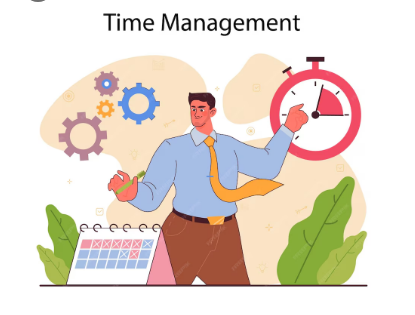
Tip #8: Build a Weekly Schedule That Works for Your Life
Many freelancing guides give you a perfect weekly schedule that assumes you have no family, no distractions, no power cuts, and no outside obligations. That is not reality — especially in South Asia.
Here is a flexible weekly structure you can adapt to your real life:
For Full-Time Freelancers (40 hours/week):
| Day | Morning (3 hrs) | Afternoon (3 hrs) | Evening (1 hr) |
|---|---|---|---|
| Monday | Deep client work | Deep client work | Plan tomorrow |
| Tuesday | Deep client work | Client emails + revisions | Skill learning |
| Wednesday | Deep client work | New client outreach | Rest |
| Thursday | Deep client work | Invoicing + admin | Follow-ups |
| Friday | Deep client work | Review week + plan next | Rest |
| Saturday | Optional catch-up | Optional | Family time |
| Sunday | Off | Off | Off |
For Part-Time Freelancers (10–20 hours/week):
If you freelance in addition to working or studying, you’ll need a more structured approach. What if you can only work one hour every day as a freelance writer? Maybe you have 2 or 4 hours a day. How do you manage what little time you have? Look at a schedule for time management based on how many hours of freelancing you do in a week.
| Available Daily Time | Weekly Plan |
|---|---|
| 1 hour/day | Write 1 short article OR send 5 outreach messages |
| 2 hours/day | 1 hr client work + 1 hr outreach |
| 4 hours/day | 2.5 hrs client work + 1 hr outreach + 30 min admin |
The secret is not how many hours you have — it is how focused those hours are.
Tip #9: Prioritize High-Value Work First Every Single Day
Not all tasks are equal. Answering a client email is not the same as finishing a deliverable. Scrolling LinkedIn is not the same as writing a proposal.
Every morning, ask yourself one question: What is the one thing that, if I finish it today, makes me money or protects a client relationship?
Do it first. Before emailing. Before social media. Before everything else. Create a prioritized to-do list, beginning with the chores that will have the most influence on your projects or revenue. Even if you have a steady routine, you may still feel overworked if your pay does not reflect your labor. Focus on higher-value assignments or boost your charges to save time, decrease stress, and make your calendar more manageable.
This is also the key to earning more without working more hours.Most six-figure freelancers work fewer than 30 hours each week, typically closer to 20 billable hours. They work fewer hours because they charge higher rates and only take on high-value projects.
Tip #10: Cut Distractions Like You Cut Bad Clients
Distractions are the single most significant time killer for home-based freelancers.Distractions are everywhere, including social media, alerts, and personal responsibilities. Although it is not always feasible to totally remove distractions, eliminating them can help freelancers manage their time more effectively. Turn off notifications or put your phone away during focused work. Use website blockers like Limit to stay on track.
Distraction-blocking tools that are free:
- Cold Turkey (free version) — blocks websites during work hours
- Forest App — grow a virtual tree while you stay focused
- StayFocusd (Chrome extension) — limits time on distracting sites
- Freedom — blocks apps and websites across all devices
One simple rule that works: No phone in your work zone during your deep work hours. Leave your phone in another room. This alone can recover 90 minutes of productive time per day.
Tip #11: Take Real Breaks to Avoid Freelance Burnout
Most freelancers either take too many breaks or none at all. Both are difficulties. One of the most common time management mistakes is taking breaks. Many freelancers do not take enough breaks during the day. Working for yourself at home makes it simple to become a workaholic. Your laptop is always within arms reach. There is a tendency to squeeze in a few minutes of work while you have some free time. That looming deadline is harder to ignore when your office is right there reminding you how much work you have left to do. The result? An unhealthy work-life balance and a one-way ticket to burnout.
The break schedule that prevents burnout:
- Every 25 to 30 minutes: 5-minute break (stand up, stretch, drink water)
- Every 2 hours: 15-minute break (step outside if possible)
- Midday: 45-minute to 1-hour full break — no laptop, no phone
- One full day off per week — non-negotiable
According to FlexJobs, 51% of freelancers report better work-life balance compared to traditional employment. But that statistic only applies to freelancers who actually protect their off-time. If you work 7 days a week, freelancing gives you worse balance than a regular job.

Tip #12: Do a Weekly Review Every Friday
Most freelancers end their week by finishing the last task and closing the laptop. Then they open the laptop on Monday with no idea what to do first.
A 15-minute weekly review on Friday evening changes everything.
Your Friday Review Checklist (15 minutes):
- What projects did I finish this week?
- What did I not finish — why?
- Did any client take more time than expected?
- How much did I earn this week vs. my goal?
- What 3 tasks should I do first next Monday?
- Is anything due in the next 7 days?
- Did I send any new outreach this week?
Write your responses in a basic notepad or Google Doc. Over time, you’ll notice patterns—which days you work best, which clients require the most time, and which projects pay the most per hour. As a freelancer, you should track your time to understand how you are managing your customers, yourself, and your freelancing career. Use a free tool like Clockify to track your time. The goal is to have a better idea of where your time went, how much it was worth, and where you should invest more of it.
Real Daily Schedule Templates for Pakistani and South Asian Freelancers
Schedule A: Student or Part-Time Freelancer (3–4 Hours Available)
| Time | Task |
|---|---|
| 8:00 – 9:00 am | Deep client work (writing, coding, designing) |
| 9:00 – 9:10 am | Short break |
| 9:10 – 10:30 am | Continue client work |
| 10:30 – 11:00 am | Respond to client messages |
| 11:00 – 11:30 am | Send 3 outreach messages or update portfolio |
| 11:30 am | Done — close laptop |
Target earnings: $500–$1,000/month with 2 to 3 regular clients
Schedule B: Full-Time Freelancer Working from Home (6–8 Hours)
| Time | Task |
|---|---|
| 7:30 – 8:00 am | Morning routine + plan the day |
| 8:00 – 11:00 am | Deep work — main project (no phone) |
| 11:00 – 11:15 am | Break |
| 11:15 am – 1:00 pm | Second project or revisions |
| 1:00 – 2:00 pm | Lunch break |
| 2:00 – 3:30 pm | Client emails + admin |
| 3:30 – 4:30 pm | Outreach or skill learning |
| 4:30 – 5:00 pm | Weekly review (Friday only) / plan next day |
| 5:00 pm | Shut down — done for the day |
Target earnings: $1,500–$3,000/month with 4 to 6 regular clients
Schedule C: Managing International Clients (US/UK Time Zones from Pakistan)
This is a common challenge. US clients are active when it is late evening or night in Pakistan.
| Time | Task |
|---|---|
| 9:00 – 12:00 pm | Deep work (your own local work hours) |
| 12:00 – 1:00 pm | Lunch |
| 1:00 – 3:00 pm | Admin, learning, outreach |
| 6:00 – 8:00 pm | US/UK client communication (overlap hours) |
| 8:00 – 9:00 pm | Finish any urgent client tasks |
| 9:00 pm | Done |
The key is to batch your international client communication in the evening — not check messages all day long.
Common Freelance Time Management Mistakes (And How to Fix Them)
| Mistake | Why It Hurts | The Fix |
|---|---|---|
| Working without a task list | You waste 30–45 min each morning figuring out what to do | Write tomorrow’s top 3 tasks before you sleep tonight |
| Checking email first thing in morning | Other people’s priorities hijack your day | Do 60 minutes of your own work before opening email |
| Taking on too many clients | Quality drops, stress goes up, income stays the same | Cap yourself at a number you can serve well |
| Not tracking hours | You undercharge without knowing it | Use Toggl Track — takes 2 minutes per session |
| Saying yes to every revision | Eats into new project time | Set a clear revision limit in every proposal |
| Skipping breaks | Leads to burnout — productivity drops after 4 straight hours | Schedule breaks as hard as you schedule client work |
| Working on weekends every week | No recovery = declining quality and health | Block at least one full day off every week |
How Time Management Connects to Your Freelance Income
This is the section that most time management posts skip. Let’s make it plain with actual numbers.The typical freelancer loses $1,100 per month due to inefficient scheduling.
Think about it. Every month, $1,100 is lost due to disorganization, unpaid changes, delayed invoicing, and wasted administrative hours. Over the course of a year, that amounts to more than $13,000.Freelancers make an average of $99,230 each year. The highest earners have a yearly income of $200,000. The distinction between ordinary and elite incomes is more than just skill; it is a system. The top earners value their time.
Here is what better time management actually gives you in terms of money:
| Improvement | Time Saved | Potential Monthly Earnings Increase |
|---|---|---|
| Track hours + fix underpricing | 0 hours saved | +$200–$500 (better rates) |
| Cut scope creep with clear contracts | 3–5 hrs/week saved | +$150–$300 (fewer unpaid revisions) |
| Batch admin into 1 daily block | 1.5 hrs/week saved | +$50–$100 (more billable time) |
| Cut social media distraction | 1 hr/day saved | +$200–$400 (more client hours) |
| Weekly review + better planning | 2 hrs/week saved | +$100–$200 (fewer missed deadlines) |
You do not need to work more hours. You need to protect the hours you already have.
If you want a professionally built website that supports your freelance business — fast-loading, mobile-ready, and built to attract clients — the MustajabHub website development team builds WordPress sites specifically for freelancers and small businesses in Pakistan.
FAQs: Time Management for Freelancers
How do freelancers manage time effectively?
The most effective method is combining a fixed daily schedule with time blocking and a simple tool like Toggl Track to track your hours. Start every day with your top 3 tasks written down. Protect your first 2 to 3 hours for deep, billable work. Handle emails and admin in the afternoon. Small daily habits like this build consistency that delivers results within 2 to 3 weeks.
What is the 3-3-3 rule for time management?
The 3-3-3 rule divides your workday into three sections: spend the first 3 hours on your single most important task, then complete 3 shorter tasks that need attention, then handle 3 small maintenance items. This replaces a long, overwhelming to-do list with a clear, achievable structure that reduces procrastination and builds momentum every day.
How many hours should a freelancer work per day?
In 2026, the average full-time freelancer will work more than forty hours each week. Freelancers have flexible work hours and schedules. This time varies based on the sector and workload. Most freelancers can sustain 5 to 7 concentrated hours of actual work each day over time. Working 10 to 12 hours every day for a week causes burnout within 2 to 3 months.
What are the best free time tracking tools for freelancers?
The best free tools are Toggl Track for simple one-click tracking, Clockify for project-based tracking with multiple clients, and the TimeCamp for automatic time detection. All three are free, work on mobile and desktop, and generate reports you can share with clients.
How do I stop procrastinating as a freelancer?
To stop procrastinating as a freelancer, focus on your most critical assignment first to get momentum. Breaking down projects into smaller, more manageable phases also helps them feel less overwhelming. For example, if you are a freelance writer, create an outline before producing your material.
How many hours do freelancers spend on non-billable work?
Almost half of freelancers dedicate around 6 hours each week to non-billable duties such as administration and accountancy. To decrease this, organize all administrative chores into a single 1-hour block every day rather than spreading them out throughout the day.
What is the best time management tip for freelancers in Pakistan working with US clients?
The most effective approach is to separate your deep work hours (morning, local time) from your client communication hours (evening, when US clients are online). Do not check US client messages during your morning work block. Batch all communication into one evening session. This protects your best hours for actual billable work while still being responsive to international clients.
How do I avoid burnout as a freelancer?
With Mustajabhub Personal experience I have to said, Take actual breaks every 25 to 30 minutes, plan one full day off each week, and limit your daily work hours to 7 to 8 hours. Taking regular breaks is critical for preventing burnout. Freelancers who arrange frequent breaks can retain productivity while potentially reducing work hours. Turn off work alerts beyond your designated finish time, and take that limit as seriously as you would a client deadline.
Final Words From Rana Umar
Time management does not mean squeezing more work into every hour. It means being intentional about what goes into each hour.
The freelancers I have seen succeed — not just earn well, but actually enjoy their work — are the ones who built a system. Not a perfect system. Just a consistent one. They know what they are working on when they open their laptop. They know when to stop. They track their hours. They protect their best energy for their best work.
Start with just one tip from this guide. Pick the one that solves your biggest problem right now — whether that is procrastination, scope creep, distraction, or burnout. Apply it for one week. Then add another.
Time is the one thing you cannot get back. Manage it well and your freelance career will look completely different 90 days from now.
For more guides on growing a profitable freelance career and building your online income from Pakistan, explore the Digital Growth Guides section on MustajabHub. And if you need help with your freelance website or technical SEO, contact the MustajabHub team here.
👤 About the Author
Rana Umar is a content writer, blogger, and SEO specialist with 5 years of experience helping freelancers and small businesses build their online presence. He writes practical, real-world guides on freelancing, time management, and digital income at MustajabHub. He has managed projects across multiple time zones and knows firsthand how the right schedule changes everything.