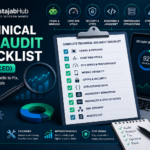

Amazon FBA virtual assistant tasks are easier than people think—when you have a clear checklist.
Most beginners fail because they try to “learn everything about Amazon” first. They watch random videos, take messy notes, and still don’t know what to do on a real workday.
This post fixes that.
You will get:
- a daily checklist (what to check every day)
- a weekly checklist (what keeps the store healthy)
- a monthly checklist (what prevents big problems)
- a simple weekly report template you can send to clients
- basic SOP tips so you don’t make risky mistakes
Important note: This guide is about a human virtual assistant for Amazon FBA sellers—not Amazon’s voice assistant (Alexa).
What does an Amazon FBA virtual assistant do?
An Amazon FBA VA helps sellers handle store operations like:
- customer messages
- listing updates
- inventory checks and restock alerts
- shipment plan support
- basic reporting (weekly summary)
- fixing common listing issues (suppressed listings, missing info)
Why FBA VA work is in demand ?
Amazon has millions of moving parts, but one simple truth stays the same:
When a seller gets busy, the store still needs daily attention.
Amazon itself says more than 60% of sales in Amazon’s store come from independent sellers.
That means there are a lot of small and mid-sized brands that need support.
Amazon also reports that independent sellers in the US sold more than 4.6 billion items in 2025.
Behind those items are listings, messages, returns, inventory checks, and shipment work.
That daily work is where an FBA VA helps.
Amazon FBA explained in one simple paragraph
FBA (Fulfillment by Amazon) means the seller sends inventory to Amazon fulfillment centers, and Amazon handles picking, packing, shipping, customer service, and returns for those orders.
So as an FBA VA, you don’t “ship boxes yourself”—but you do support the seller’s workflows inside Seller Central.
Admin VA vs Amazon FBA VA (quick comparison)
A general VA can do email, scheduling, and basic tasks.
An Amazon FBA VA works inside a store system that has:
- strict policies
- performance metrics
- inventory risks
- listings that can break
Simple comparison table
| Area | General Admin VA | Amazon FBA VA |
|---|---|---|
| Main focus | office/admin help | Amazon store operations |
| Tools | email + docs | Seller Central + sheets + workflows |
| Risk of mistakes | low | medium (listings/inventory can be sensitive) |
| What clients value most | availability | accuracy + reporting + consistency |
The core Amazon FBA virtual assistant tasks checklist (the real work)
Below are the tasks sellers usually delegate first.
The “3 buckets” that make the job clear
Most FBA VA work falls into:
- Customer + account cleanliness (messages, returns, issues)
- Listing health (title, bullets, images, suppressed problems)
- Inventory + shipments (stock checks, restock reminders, shipment support)
If you can do these three buckets well, you are already useful.
Daily Amazon FBA VA tasks (15–60 minutes, depends on store size)
1) Check buyer messages (and reply fast)
What to do:
- check for new messages
- reply using approved templates
- escalate sensitive cases to the seller
Why this matters:
- late replies create unhappy customers
- small problems become big problems when ignored
Simple rule: If you’re not sure, don’t guess—ask the seller.
2) Check returns/refunds issues (quick scan)
What to do:
- look for unusual spikes
- note repeated reasons (defect, wrong size, damaged)
- share patterns with the seller in your weekly report
This is not about “defending the brand.”
It’s about spotting real product problems early.

3) Check listing warnings (suppressed or broken listings)
What to do:
- check for listing errors
- fix simple missing fields if you have permission
- collect affected ASIN/SKU list for the seller if you need approval
Common causes:
- missing images
- policy flags
- missing required fields
4) Quick inventory glance (avoid surprises)
What to do:
- check top-selling SKUs
- check what is getting low
- notify the seller early (don’t wait until it hits zero)
Most sellers don’t need you to do advanced math on day one. They need you to be the person who says: “This SKU is getting low. Do we have inbound stock?”
5) Create a simple daily log (this makes clients trust you)
Keep a simple Google Sheet:
- date
- tasks completed
- issues found
- questions for seller
This one habit makes you look professional.
Weekly Amazon FBA VA tasks (the “store health” routine)
1) Weekly listing quality check (top products first)
What to check:
- title readable (not spam)
- bullets clear (benefits + facts)
- images present and correct
- variation issues (if any)
Your goal: fewer mistakes, fewer missed sales.
2) Inventory check + restock reminders (weekly)
What to check:
- what is low
- what is inbound
- what has delays
- what needs seller decision
A clean weekly message to the seller is enough:
- “SKU A low”
- “SKU B inbound”
- “SKU C delayed—need update”
3) Shipment follow-up (if shipments are active)
If the seller is sending inventory:
- confirm labels and cartons are correct (if your role includes this)
- record shipment IDs
- track “is it moving or stuck?”
- report problems early
You are not promising outcomes.
You are keeping the seller informed.
4) Review scan (patterns, not emotions)
What to do:
- scan new reviews
- note repeated complaints
- share top 2–3 insights in weekly report
This helps product improvement.
5) Weekly performance report (simple, not fancy)
Don’t drown clients in numbers.
Give them:
- what you did
- what problems you found
- what needs decision
- what you will do next week
I’m giving you a template below.

Monthly Amazon FBA VA tasks (prevention work)
1) Update SOPs (the hidden secret)
SOP = standard operating procedure (your step-by-step doc).
Every month:
- add “what went wrong”
- add “how we fixed it”
- update templates
This reduces repeated mistakes.
2) Clean up file structure (so work stays fast)
Create folders like:
- /Listings
- /Inventory
- /Shipments
- /Reports
- /Design assets
- /Message templates
Small thing, big time saving.
3) Account access review (security habit)
Make sure:
- you have only the permissions you need
- seller keeps sensitive permissions to themselves
- no passwords are shared in plain text
This protects both you and the seller.
Weekly report template (copy/paste for clients)
Use this exact format. Keep it short.
Subject: Weekly Amazon Store Update (Week of ___)
1) Tasks completed
- …
- …
- …
2) Issues found (need attention)
- Issue #1: (what happened + where + what I did)
- Issue #2:
3) Inventory
- Low stock alerts:
- Inbound shipments:
- Anything delayed:
4) Customer & reviews
- Common complaint this week:
- Any urgent message cases:
5) Next week plan
- …
- …
Questions
- Q1:
- Q2:
That’s it. Simple and professional.
Beginner SOPs (so you don’t get blamed for mistakes)
SOP 1: “When I don’t know, I escalate”
If a client asks for something risky (like policy-bending actions), your safe response is:
- “I’m not sure this is allowed. I can do it only after you confirm and approve.”

SOP 2: “I don’t promise sales”
You can promise:
- clean work
- reporting
- fast responses
- correct execution
You can’t promise:
- ranking
- sales
- “guaranteed profit”
SOP 3: “Everything goes in writing”
Even a short agreement is better than nothing:
- what tasks you do
- your work hours
- response time expectations
- payment terms
Tools to do Amazon FBA VA tasks (keep it simple)
You don’t need 20 tools.
Starter tool stack
- Google Sheets (tracking + reporting)
- Google Docs (SOPs + templates)
- Trello/ClickUp (task board)
- Loom (quick video updates)
Amazon learning resource (free)
Amazon says Seller University is a free learning resource for sellers and covers listing, fulfillment, and advertising topics.
Even as a VA, it helps you understand what sellers see.

If you’re in Pakistan (GEO section, short and helpful)
If you’re working from Pakistan (Lahore, Karachi, Islamabad, Rawalpindi, Faisalabad, Gujranwala, or any city), your edge is not “cheap rates.”
Your edge is:
- clear English (simple is fine)
- on-time updates
- organized reporting
- consistent work
Many sellers just want someone reliable.
FAQ 1: What are the main Amazon FBA virtual assistant tasks?
Amazon FBA VA tasks usually include customer messages, returns follow-up, listing checks, inventory monitoring, shipment support, and weekly reporting.
FAQ 2: What is the difference between an Amazon VA and an Amazon FBA VA?
An Amazon VA can support many Amazon tasks. An Amazon FBA VA focuses more on FBA operations like inventory checks, shipment workflows, listing health, and store reporting.
FAQ 3: How do I learn Amazon FBA VA work as a beginner?
Start with Seller Central basics, then follow a daily and weekly checklist. Use templates for customer messages and weekly reports so you stay consistent.
FAQ 4: Do Amazon FBA VAs need paid tools like Helium 10?
Not always. Many sellers already have paid tools and can give you access. Beginners can start with checklists, spreadsheets, and Seller Central basics first.
FAQ 5: How many hours does an Amazon FBA VA work per day?
It depends on store size. Some stores need 30–60 minutes daily for checks and messages. Larger stores may need several hours daily.
FAQ 6: Can I do Amazon FBA VA work from Pakistan?
Yes. Many Amazon VAs work remotely from Pakistan. The key is clear communication, reliable availability, and clean reporting.
FAQ 7: Is Amazon’s virtual assistant the same as an Amazon VA job?
No. Amazon’s virtual assistant is Alexa (voice assistant). An Amazon VA job is a human assistant who supports Amazon sellers.
Conclusion: Amazon FBA virtual assistant Tasks
If you want to work as an Amazon FBA VA, don’t start with random learning.
Start with a checklist.
- daily routine
- weekly routine
- monthly routine
- clear reports
That is how you become useful fast—and keep clients long-term.
👉 Prepared to start? Visit the official Amazon site to grasp their seller programs and begin understanding how professional virtual assistants operate for Amazon FBA.
Start Your VA Career with Mustajab Hub
If you’re serious about becoming a successful Amazon Virtual Assistant, Mustajab Hub can help you every step of the way. From Amazon account setup to product listing optimization and PPC management, we train and guide you with real-world strategies.
💬 Book a free consultation today and learn how to start your professional journey as an Amazon Virtual Assistant with expert mentorship.
Good luck — start today and keep learning.
Start now, good luck.
Want to read more posts: How to Learn Online Skills to Make Money for Students (and Actually Succeed)
Author Bio
Writer: Rana Umar — A writer with 5+ years of experience creating simple, step-by-step guides on freelancing, online work, and digital growth.