

By Rana Umar | Last Updated: July 18, 2026 | Category: SEO & Rankings
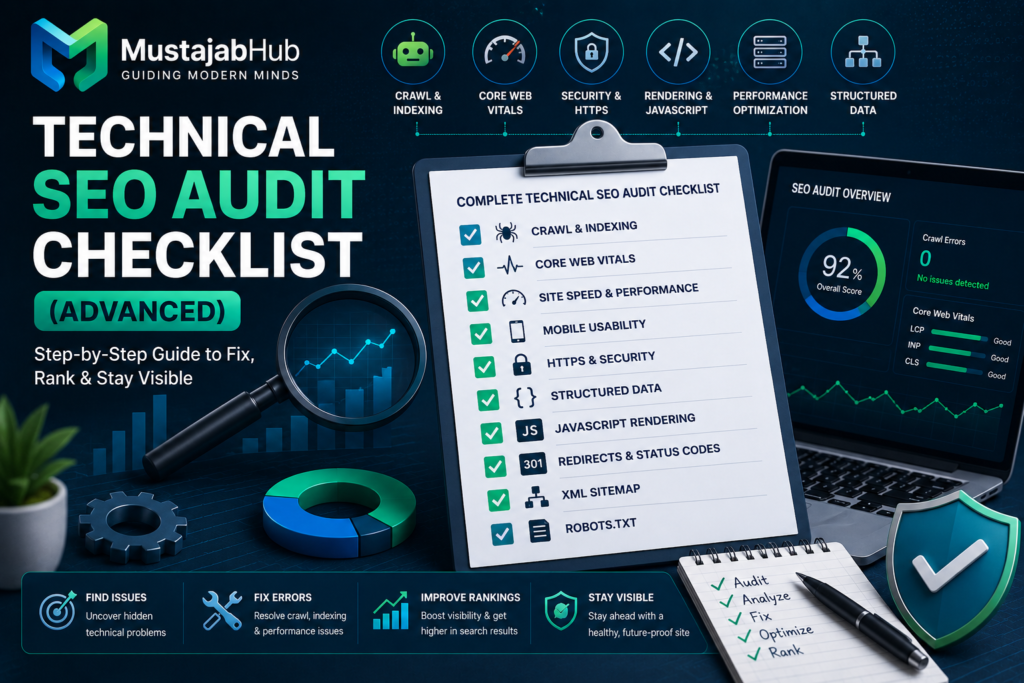
Quick Answer: A technical SEO audit checklist is a step-by-step process, that checks whether the search engines can crawl, render, & index the website correctly or not. It covers crawlability, indexation, Core Web Vitals, JavaScript rendering, structured data, & the AI crawler access. Run it every 60 – 90 days. Fix critical issues first — crawl blocks and indexation errors cause the most damage.
Your content is good. Your design looks clean. But your pages are still sitting on Google SERP page 3.
Most of the time, the problem is not your words or content. It is your technical foundation.
Search engines follow a clear path before they rank anything you publish. First they crawl your pages. Then they render them. Then they decide if they are worth indexing. If anything breaks in that chain, your best content stays invisible — no matter how hard you worked on it. Great content and a strong backlink profile return nothing if search engines cannot crawl, render, or interpret your pages correctly. The vast majority of web pages get effectively zero organic traffic from Google, and in most cases the root cause is not content quality — it is a technical barrier nobody noticed.
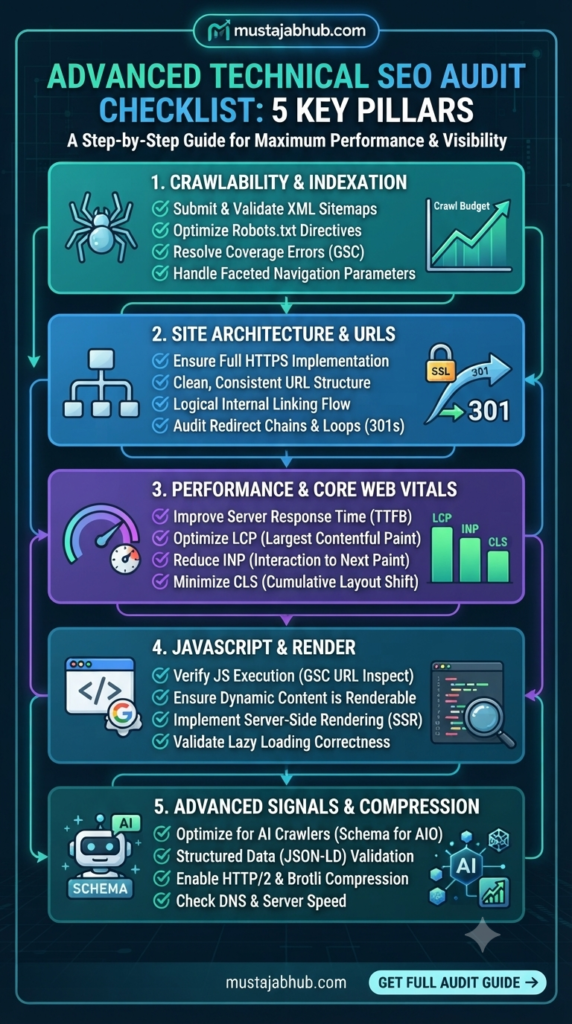
This guide gives you a complete technical SEO audit checklist — the kind used by senior SEO professionals, not the watered-down version you find in most blog posts. Every step is in order. Every fix is actionable. And it works for Google, AI Overviews, ChatGPT Search, and Perplexity — all at once.
Why a Technical SEO Audit Matters More in 2026
Search has changed. Google is not the only machine that reads your site now. In 2026, users do not just search on Google only. They ask Perplexity, prompt ChatGPT, & discover things on TikTok. Every one of those platforms needs to crawl, read, and understand your pages correctly. Technical SEO foundations now also determine whether AI systems can access and use your content in responses. Without these foundations, your content might not be crawled, indexed, or surfaced at all, therefore you must get them right before your other strategies can produce favorable outcomes. That is true whether you are optimizing for traditional search rankings, AI Overviews, or LLMs that pull content from the web in real time.
Here is something most agency blog posts will not tell you. A Pew Research Center analysis found that when an AI summary appears, users clicked traditional results 8% of the time versus 15% without an AI summary. So if you are not in the AI answer and you are not in the top results, you are basically invisible.
A technical SEO audit fixes that. It finds every broken door, every blocked path, & every missed signal — and gives you a clear order of fixes.
Real Case Study: What Happens When You Fix Technical SEO
Before we get into the checklist, here is a real example of what these fixes produce. Future.co, a fitness platform, saw its ranking keywords grow from 887 to 2,802 — a 216% increase in just eight months after a technical SEO audit. Their organic traffic value also increased by 83%.
They did not write 200 new blog posts. They fixed what was already broken. That is the power of a proper technical audit.
Tools You Need Before You Start
Do not start auditing without the right tools ready. Here is what you need:
| Tool | What It Finds | Cost |
|---|---|---|
| Google Search Console | Indexing errors, crawl issues, Core Web Vitals | Free |
| Screaming Frog SEO Spider | Crawl errors, broken links, redirects, title tags | Free up to 500 URLs |
| PageSpeed Insights | LCP, INP, CLS scores per page | Free |
| Google Rich Results Test | Schema markup errors | Free |
| Ahrefs or Semrush | Backlinks, keyword rankings, competitor gaps | Paid |
| Log File Analyser (Screaming Frog) | Actual Googlebot behavior | Free/Paid |
| Bing Webmaster Tools | Bing index quality (powers ChatGPT Search) | Free |
Bing powers ChatGPT Search — its index quality affects AI search visibility in 2026. Most people skip Bing Webmaster Tools. Do not. Set a clear scope before running any crawls. Choose whether to audit the entire site or a specific section. Define success: are you resolving a traffic issue, planning for a migration, or performing a regular health check?
Step 1: Crawlability Audit — Can Google Even Get In?
Crawlability is step one. Everything else depends on it. Crawlability is the foundation of technical SEO. If Googlebot and AI crawlers like GPTBot & PerplexityBot cannot reach your content, nothing else matters.
What to check:
- Open the website robots.txt file at yourdomain.com/robots.txt
- Make sure & check it does not accidentally block your whole site with
Disallow: / - Check that your XML sitemap is linked inside robots.txt properly
- Confirm the sitemap returns a 200 status code & has under 50,000 URLs
- Review URL depth — pages buried more than three clicks from the homepage get crawled & linked less, almost by definition.
Common mistake: Many sites still carry a staging robots.txt that blocks everything. It goes live by accident during a website migration and nobody notices for weeks. Confirm the production if robots.txt does not still carry a staging-era global disallow.
Crawl budget — explained simply:
Think of Googlebot like a delivery driver with a fixed number of stops per day. If your site wastes those stops on irrelevant pages (expired filters, duplicate parameter URLs, session IDs), Googlebot will never visit your crucial pages. Sites with 10,000 or more pages lose up to 30% of crawl coverage due to duplicate, low-quality, or blacklisted URLs, resulting in wasted Googlebot visits to pages that should never rank.
Quick fix: Block low-value URLs (session IDs, filter combinations, printer-friendly pages) in robots.txt or via canonical tags. Add only indexable, canonical pages to your XML sitemap.
Step 2: Indexation Audit — Are Your Pages Actually in Google?
Crawling and indexing are two different things. Google can crawl a page and still decide not to index it.
Open Google Search Console. Go to Pages > Indexing. Look for these statuses:
| GSC Status | What It Means | What to Do |
|---|---|---|
| Crawled — Currently Not Indexed | Google crawled it but chose not to index | Fix thin content, add internal links, improve uniqueness |
| Discovered — Currently Not Indexed | Google knows it exists but has not crawled it yet | Improve crawl budget, submit URL, add internal links |
| Duplicate Without User-Selected Canonical | Google found a duplicate and chose a different version | Set correct canonical tag |
| Excluded by Noindex | You told Google not to index it | Check if this is intentional |
| Submitted URL Blocked by Robots.txt | URL is in sitemap but blocked in robots.txt | Remove from sitemap or fix robots.txt |
| Page With Redirect | Redirecting URLs submitted in sitemap | Update sitemap to point to final URLs |
Audit noindex tags & canonical tags for conflicts — these two signals contradicting each other is one of the most common silent indexation killers.
The most misunderstood status: “Crawled — Currently Not Indexed” does not always mean your content is bad. Look for “Crawled — currently not indexed” status. This often indicates thin content or quality issues. But it can also mean poor internal linking, crawl budget problems, or near-duplicate content pulling from another URL.
Fix sequence:
- Export all URLs with each status
- Group them by page template (blog posts, product pages, category pages, tag pages)
- Ask: “Should this page be indexed?” If yes — fix it. If no — add noindex or remove it from your sitemap.
Step 3: JavaScript Rendering — What Does Google Actually See?
This is where most audits stop. And this is where you can win.JavaScript SEO is still where many technical audits get real. If content, links, or schema markup appear late, fail to render, or depend on user actions, crawlers may never process the page the way humans do. Google’s JavaScript SEO documentation describes a three-step flow: crawling, rendering, and indexing.
The simple test — View Source vs Rendered HTML:
- Open any important page on your site
- Right-click on Your Page → View Page Source (this is the raw HTML — what Google first receives)
- Press F12 → go to Elements tab (this is the rendered HTML — what JavaScript builds after loading)
- Compare them
If your main text, headings, internal links, canonical tag, or schema markup are only present in the rendered version & not the raw HTML, Google may overlook them totally. If your content pages still rely on client-side rendering, ensure that the main copy, heading structure, canonical tag, internal links, & JSON-LD are included in the produced HTML without the need for clicks or timing luck.
Server-Side Rendering (SSR) vs Client-Side Rendering (CSR):
| Type | What It Means | SEO Risk |
|---|---|---|
| SSR (Server-Side Rendering) | HTML is built on the server and sent ready | Low — Google sees content immediately |
| CSR (Client-Side Rendering) | JavaScript builds the HTML in the browser | High — Google may miss content |
| Hybrid (Next.js, Nuxt) | Mix of both | Medium — needs careful configuration |
For content-heavy templates, server-side rendering or a hybrid configuration typically provides a safer baseline. Client-side rendering can still work for highly interactive apps, but it requires tighter controls over crawlable links, starting HTML, & visible primary content.
Step 4: Core Web Vitals — The 2026 Updated Thresholds
Core Web Vitals are a confirmed Google ranking factor. The thresholds matter. Many older checklists still use outdated numbers.
Here are the current 2026 pass/fail thresholds:
| Metric | What It Measures | Pass | Needs Work | Fail |
|---|---|---|---|---|
| LCP (Largest Contentful Paint) | How fast your main content loads | Under 2.5s | 2.5s – 4s | Over 4s |
| INP (Interaction to Next Paint) | How fast your page responds to clicks | Under 200ms | 200ms – 500ms | Over 500ms |
| CLS (Cumulative Layout Shift) | How much your page jumps around while loading | Under 0.1 | 0.1 – 0.25 | Over 0.25 |
INP — Interaction to Next Paint — replaced the older First Input Delay metric, and a lot of older checklists still have not caught up. Pages in the top LCP quartile — under 2.5 seconds — see 24% higher organic click-through rates than pages failing Core Web Vitals thresholds, according to Google Search Console data. Speed is not just a ranking factor. It is a conversion factor.
How to fix each metric:
Slow LCP?
- Compress and resize hero images (use WebP format)
- Add
preloadtag for your hero image - Enable Brotli compression on your server
- Use a Content Delivery Network (CDN)
High INP?
- JavaScript-heavy sites tend to struggle with INP. If your INP is above 200ms, dig into your JavaScript execution.
- Break up long JavaScript tasks
- Use
deferandasyncon non-critical scripts
High CLS?
- CLS should be under 0.1. It is usually caused by images without defined dimensions, late-loading ads, or web fonts that swap after load.
- Always define width and height on images
- Reserve space for ads before they load
How to measure: Use PageSpeed Insights for lab data and the Google Search Console Core Web Vitals report for real-world field data. Use PageSpeed Insights and the Chrome User Experience Report — CrUX — for field data. Do not rely solely on lab data. Real-world performance is what Google actually measures.
Step 5: Schema Markup — Your AI Visibility Layer
Schema markup is no longer optional. In 2026, it is part of the technical foundation — not the finishing polish. Schema markup is structured data that tells machines — search engines and AI systems — explicitly what your content is. Not what it looks like. Not what words it uses. What it is. And in an era where AI search is assembling answers from content it can confidently interpret and attribute, what it is matters more than ever. Only 17% of the top 10 million websites use schema markup, providing a competitive edge to those that do it right.
Schema types you need:
| Page Type | Schema to Use |
|---|---|
| Homepage | Organization (with name, logo, URL, social profiles) |
| Blog posts | Article or BlogPosting (with author as a Person entity, datePublished, dateModified) |
| Service pages | Service + LocalBusiness |
| How-to guides | HowTo |
| FAQ sections | FAQPage |
| Breadcrumbs | BreadcrumbList |
Important update on FAQ schema: The FAQ schema was demoted in late 2025. Google restricted rich FAQ results in SERPs to government and health sites. FAQPage schema is no longer worth implementing for SERP rich results. But it is still worth evaluating for AI search. If you have step-by-step tutorials or instructional content, the HowTo schema should be on those pages. Step-by-step content is heavily cited in AI Overviews.
How to validate: Use Google’s Rich Results Test and check the Enhancements section in Search Console for errors.
Step 6: Internal Linking Audit — Move Authority Where It Needs to Go
Internal linking is the most underrated technical SEO task. Most site owners ignore it completely. A systematic internal linking audit typically uncovers 40–60% of pages with zero internal links — orphan pages that cannot be discovered or ranked.
Orphan pages are invisible to search engines. Every important page on your site should be reachable within three clicks from the homepage. The deeper you bury a page, the less frequently Googlebot crawls it, and the less authority it receives through internal linking.
How to fix internal linking in 3 steps:
- Run a Screaming Frog crawl and export all pages with zero inlinks
- For each orphan page, find 2–3 related pages on your site and add a link
- Use descriptive anchor text — not “click here” — so Google knows what the linked page is about
For your technical SEO content, every blog post in this cluster should link back to the Technical SEO Performance Fix service page & to at least two other related articles.
Step 7: Log File Analysis — See What Googlebot Actually Does
Most audits use crawler tools to simulate what Googlebot does. Log file analysis shows you what Googlebot actually does. Log file analysis separates senior audits from junior ones. Sitemaps tell Google what exists; server logs tell you what Googlebot actually does. For enterprise sites, the ROI on log analysis is higher than any other checklist section.
What server logs reveal:
- Which pages Googlebot visits most often
- Which pages it ignores completely
- Whether it is wasting crawl budget on low-value URLs
- Whether it is struggling to reach your most important pages
How to access logs:
- Ask your hosting provider or server team for access logs
- Use Screaming Frog Log File Analyser (free version available) or tools like Botify and OnCrawl for larger sites
- Filter by Googlebot user-agent
- Sort by URL — which pages get the most bot visits?
If Googlebot is crawling your tag pages and parameter URLs more than your product or blog pages, that is a crawl budget problem. Fix it by blocking junk URLs in robots.txt and adding better internal links to important pages.
Step 8: AI Crawler Governance — The Check Nobody Else Adds
This is the section that will future-proof your site from 2026 to 2030.
AI platforms — ChatGPT, Perplexity, Claude, & the others— all send their own crawlers to your website. You control who can access your content and for what purpose through your robots.txt file. Today, robots.txt serves as a governance document that dictates which AI companies can access your proprietary data for training versus which can access it for real-time search retrieval. It is helpful to distinguish between Training Bots — which scrape your content to train models like GPT-5 — and Retrieval Bots — which fetch your content to answer user questions in real-time.
Here is a plain-English breakdown of each AI crawler:
| AI Crawler | Company | Purpose | What Blocking Means |
|---|---|---|---|
| GPTBot | OpenAI | Training ChatGPT models | Block if you do not want your content used for AI training |
| OAI-SearchBot | OpenAI | Powers ChatGPT Search results | Block this = you disappear from ChatGPT Search |
| PerplexityBot | Perplexity | Powers Perplexity answers | Block this = not cited in Perplexity |
| ClaudeBot | Anthropic | Training Claude models | Block if you do not want training use |
| Google-Extended | Google AI training data | Blocking this does not affect Google Search rankings |
Google states that Google-Extended is a control token in robots.txt, not a separate crawler, and blocking it does not remove your pages from Google Search. That makes it a policy choice, not a ranking lever. OpenAI’s documentation makes a similar practical point for ChatGPT visibility: if you want inclusion in ChatGPT Search, OAI-SearchBot must be allowed in robots.txt, & your host or CDN must also allow its traffic.
Recommended robots.txt setup for most sites:
Allow all retrieval bots (OAI-SearchBot, PerplexityBot). Decide separately whether to allow training bots (GPTBot, ClaudeBot, CCBot). If your content is your competitive advantage, blocking training bots makes sense. If you want maximum AI visibility, allow everything.
If you need help setting up your robots.txt & AI crawler governance correctly, the Mustajabhub Technical SEO team handles this as part of every full audit.
Priority Fix Table: What to Fix First
Not all issues are equal. Use this priority system:
| Priority | Issue Type | Examples | Fix Timeline |
|---|---|---|---|
| P0 — Critical | Blocks all visibility | robots.txt blocking site, HTTPS not working, server 5xx errors | Fix today |
| P1 — High | Harms rankings significantly | Crawled/Not Indexed errors, canonical conflicts, broken redirects, LCP over 4s | Fix this week |
| P2 — Medium | Reduces performance | Missing schema, orphan pages, CLS issues, INP over 500ms, thin content | Fix this month |
| P3 — Low | Minor improvements | URL cleanup, anchor text optimization, image compression, minor schema additions | Fix next quarter |
Build a prioritized issue log as you go, categorizing findings by P0–P3 severity. Share the log with your development team & set resolution deadlines. A technical SEO audit without implementation follow-through produces no ranking improvement.
How Often Should You Run a Technical SEO Audit?
Quarterly is the right cadence for most sites, with lighter ongoing monitoring of crawl stats, Core Web Vitals, and index coverage in between. Always run a fresh audit immediately after a redesign, migration, or any major platform change — that is when regressions are most likely to slip in unnoticed. Without ongoing monitoring, new deployments, CMS updates, and third-party script changes silently introduce regressions. Sites without monitoring see an average 12% organic traffic decline per quarter from accumulating unfixed issues.
Set up these monitoring alerts to catch problems early:
- GSC email alerts for manual actions and security issues
- Uptime monitoring (UptimeRobot or Better Uptime — free)
- Core Web Vitals monthly review in GSC
- Crawl stats weekly check in GSC → Settings → Crawl Stats
The Quick-Start Checklist:
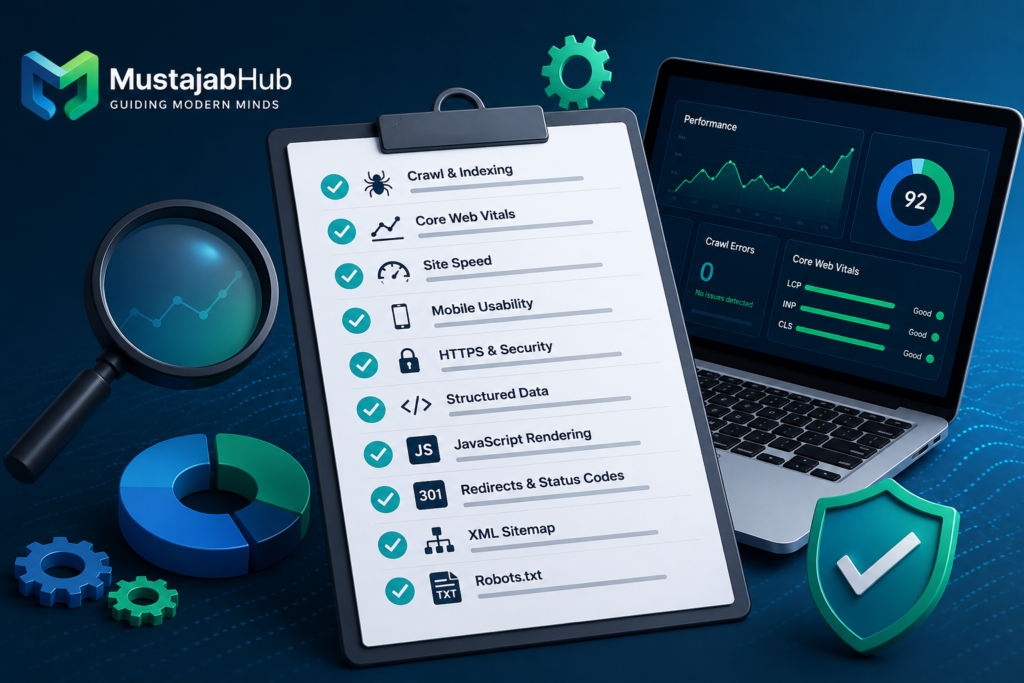
TECHNICAL SEO AUDIT CHECKLIST — MUSTAJABHUB EDITION
================================================

✅ CRAWLABILITY
[ ] robots.txt is live and returns 200
[ ] No global Disallow: / on production
[ ] XML sitemap submitted to GSC and Bing Webmaster Tools
[ ] All pages reachable within 3 clicks
[ ] No parameter or session ID URLs wasting crawl budget

✅ INDEXATION
[ ] GSC Pages report reviewed — all statuses checked
[ ] Canonical tags set correctly — no conflicts with noindex
[ ] No duplicate content from www/non-www, HTTP/HTTPS, trailing slash
[ ] Thin pages either improved or set to noindex

✅ JAVASCRIPT RENDERING
[ ] View Source vs Rendered HTML compared for key pages
[ ] Main content, H1, canonical, internal links in raw HTML
[ ] SSR or hybrid rendering used for content-heavy templates
[ ] URL Inspection Tool used to check rendered page in GSC

✅ CORE WEB VITALS
[ ] LCP under 2.5s (field data in GSC, not just lab)
[ ] INP under 200ms (test interactive elements)
[ ] CLS under 0.1 (images have dimensions, no layout shifts)
[ ] Brotli compression enabled
[ ] Hero image preloaded

✅ SCHEMA MARKUP
[ ] Organization schema on homepage
[ ] Article/BlogPosting on every blog post (with author as Person entity)
[ ] HowTo schema on tutorial/guide pages
[ ] Validated in Rich Results Test

✅ INTERNAL LINKING
[ ] No orphan pages (zero internal links)
[ ] Descriptive anchor text used throughout
[ ] All cluster articles link to service pillar page

✅ LOG FILE ANALYSIS
[ ] Server logs accessed and filtered for Googlebot
[ ] No crawl budget wasted on junk URLs
[ ] Important pages confirmed as Googlebot crawl destinations

✅ AI CRAWLER GOVERNANCE
[ ] GPTBot rules set (allow or block — your choice)
[ ] OAI-SearchBot allowed (for ChatGPT Search visibility)
[ ] PerplexityBot allowed (for Perplexity citations)
[ ] Google-Extended policy decision made
[ ] Bing Webmaster Tools verified (for ChatGPT Search index)
Need Someone to Run This Audit for You?
Running a technical SEO audit yourself is possible. But implementing every fix — across crawl settings, JavaScript rendering, Core Web Vitals, and AI crawler governance — takes time, tools, and experience.
The Mustajabhub technical team does this every day. If you want a done-for-you audit with a clear priority fix list and full implementation support, view the Technical SEO Performance Fix service or get in touch directly.
You can also explore all Mustajabhub digital growth services — from WordPress speed optimization and e-commerce growth to full SEO and content strategy. Get Estitmate for free for Website Cost & other Development process in just easy few steps With Free Website Cost Calculator.
For deeper reading on JavaScript SEO and how Google renders pages, the Google JavaScript SEO documentation is the best primary source. For Core Web Vitals field data methodology, web.dev’s Core Web Vitals guide is the reference standard.
Frequently Asked Questions _ Technical SEO Audit
What is a technical SEO audit checklist?
A technical SEO audit checklist is a structured list of checks that verifies whether search engines can crawl, render, and index your website. It covers robots.txt, XML sitemaps, canonical tags, Core Web Vitals, JavaScript rendering, schema markup, and internal linking. Running it regularly helps catch problems that silently suppress your rankings.
How often should I run a technical SEO audit?
Run a full technical SEO audit every 30 – 90 days. Also run one immediately after any website migration, redesign, or major CMS update. Between audits, monitor your GSC crawl stats & Core Web Vitals weekly to catch new issues early.
What is the difference between “crawled — currently not indexed” and “discovered — currently not indexed”?
“Crawled — currently not indexed” means Google visited the page but decided not to index it, often due to thin content or quality signals. “Discovered — currently not indexed” means Google knows the URL exists but has not crawled it yet, usually due to crawl budget limits or poor internal linking.
Does technical SEO still matter for AI search like ChatGPT and Perplexity?
Yes. The same technical foundations that help Google crawl and index your site also help AI search platforms access your content. Clean HTML, fast load times, proper schema markup, and correct robots.txt settings all affect whether AI systems can read, cite, and surface your pages.
What is INP and why does it matter in 2026?
INP stands for Interaction to Next Paint. It replaced First Input Delay (FID) as a Core Web Vitals metric. It measures how fast your page responds after a user clicks, taps, or types. Google’s passing threshold is under 200ms. High INP usually means too much JavaScript is running on the main thread.
How do I know if Googlebot is actually crawling my important pages?
Log file analysis is the most reliable way. Access your server logs, filter by Googlebot’s user-agent, and check which URLs it visits most often. Google Search Console Crawl Stats also shows crawl activity, but server logs give you the exact picture.
Should I allow GPTBot & other AI crawlers on my site?
That depends on your goals. If you want your content cited in ChatGPT Search, allow OAI-SearchBot. If you want to appear in Perplexity answers, allow PerplexityBot. GPTBot and ClaudeBot are used for AI model training — block them if you do not want your content used for that purpose. Blocking Google-Extended does not affect your Google Search rankings.
This post is part of the Mustajabhub Digital Growth Guides series. For related reading, explore the SEO & Rankings guide hub or learn how WordPress speed optimization directly improves your Core Web Vitals scores.
Professional Author Profile
Writer Rana Umar
Senior Content Strategist & Search Analyst
Rana Umar is a digital content writer and online education guide with over five + years of experience helping beginners navigate the world of digital skills, online earning, & e-learning. He writes in a simple, direct style because he believes good knowledge should be easy for everyone to understand — not just experts. At MustajabHub, Rana covers practical guides on digital growth, online learning, & building real skills that lead to real results. Rana Umar possessing over 4+ years of professional experience in technical SEO, content optimization, & best search analytics, Rana specializes in aligning editorial strategies with search engine intent. By focusing on data-driven research & practical problem-solving, the writer translates complex technical developments into clear, actionable guides that help businesses & also self-directed learners build topical authority_ Plus, improve organic search visibility, & drive sustainable growth.




Hi, I do think this is a great web site. I stumbledupon it 😉 I’m going to revisit once again since i have saved as a favorite it.
Money and freedom is the greatest way to change,
may you be rich and continue to guide others.
This post is invaluable. When can I find out more?
Hey there just wanted to give you a quick heads up and let you
know a few of the pictures aren’t loading properly. I’m not sure why but I think its a linking issue.
I’ve tried it in two different browsers and both show the same outcome.
Keep on working, great job!
Everyone loves what you guys are up too. This kind of
clever work and reporting! Keep up the terrific works guys I’ve added you guys to blogroll.
Hi! This is my first comment here so I just wanted to give a quick shout out and say I genuinely enjoy reading your blog posts.
Can you suggest any other blogs/websites/forums that deal with the
same subjects? Thank you so much!