

Quick Answer: LiteSpeed Cache vs WP Rocket — Which Wins?
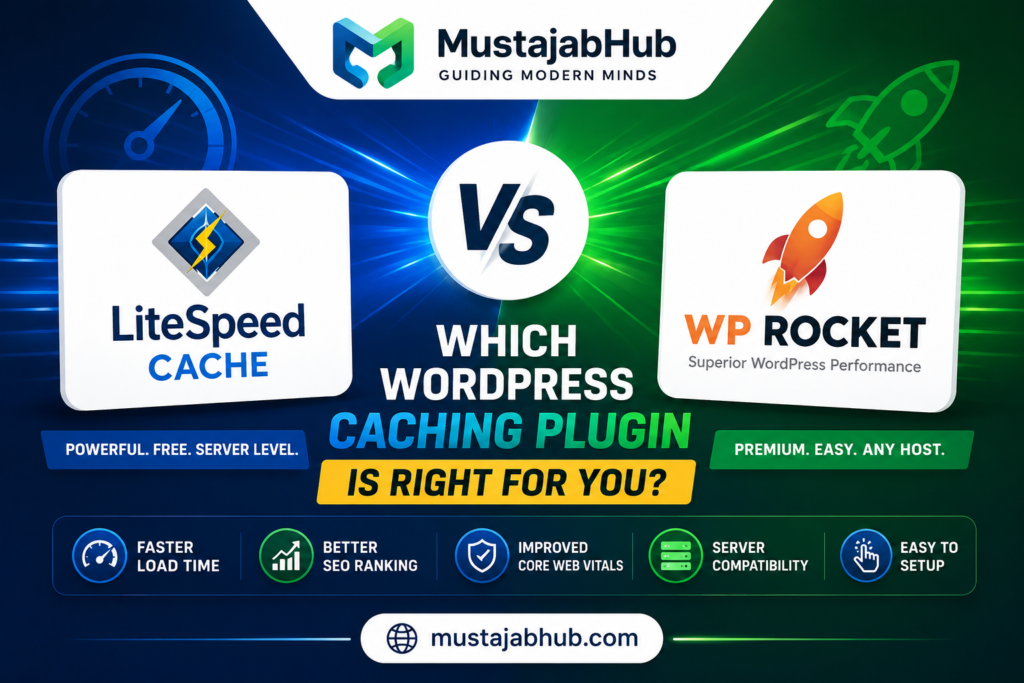
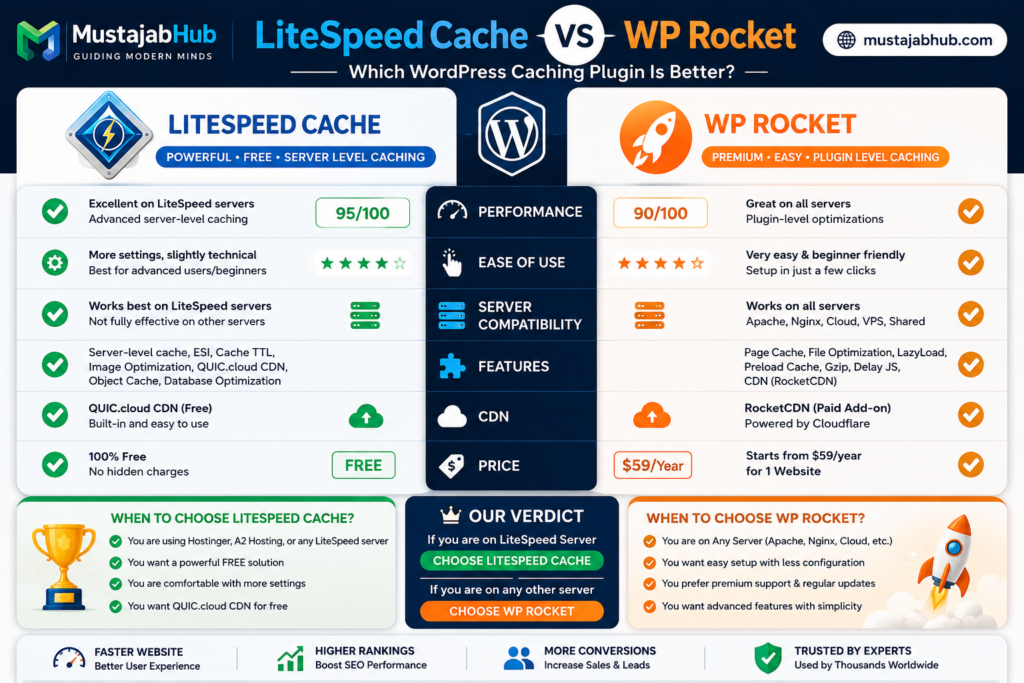
Here is the short answer you are looking for: If you are on Hostinger, LiteSpeed Cache wins. If you are on any other host, WP Rocket wins.
That is it. That is the one decision this whole article is built around. Everything else below explains exactly why — in plain, simple words. No confusing tech talk. Just real answers that help you pick the right plugin and speed up your WordPress site today. The choice is between a powerful free plugin tied to a specific server (LiteSpeed Cache) and a user-friendly premium plugin for any server (WP Rocket). Let’s break that down so even a complete beginner gets it.
Table of Contents
Why Your WordPress Site Is Slow (And Why Caching Fixes It)
WordPress is a dynamic CMS that generates pages on-demand by executing PHP code and querying the database for every visitor. For a typical WordPress page load, the server might execute hundreds of database queries and process thousands of lines of PHP code. This happens for every single visitor, even though most visitors see identical content.
That is a lot of work just to show someone your blog post or product page. Every second of delay costs you real money. Did you know that improving your site’s speed by 0.1 seconds can increase conversion rates by 8%? Caching solves this inefficiency by storing the final HTML output and serving it directly to subsequent visitors without regenerating the page. Think of it like printing 1,000 copies of a flyer instead of handwriting each one individually. Google takes website speed very seriously. The search engine has repeatedly clarified that speed is a ranking factor in search results. This means slower websites would rank lower than faster websites with similar content.
And here is a scary number: over 43% of WordPress sites are now failing Core Web Vitals. Your site could be one of them. The right caching plugin fixes this.
What Is WP Rocket?
WP Rocket is a premium WordPress caching and performance plugin designed to work on most hosting environments. It does not require LiteSpeed Web Server and can be used on Apache, Nginx, and many managed WordPress hosting platforms. WP Rocket focuses on plugin-level optimization. It can create cached versions of pages, optimise CSS and JavaScript, lazy load images, preload the cache, clean the database, and integrate with popular CDN providers. Its biggest strength is ease of use. WP Rocket is polished, beginner-friendly, and usually delivers solid improvements without requiring a long setup process. Install it, activate it, relax, and enjoy the speed boost: WP Rocket automatically applies 80% of web performance best practices right upon activation.
Price: WP Rocket is premium with no free version. Price starts at $59/year for one website.
What Is LiteSpeed Cache?
LiteSpeed Cache operates as a free, all-in-one performance suite that acts as a direct interface to a LiteSpeed web server. Instead of just creating files, it communicates with the server’s built-in caching engine, which is a fundamentally faster and more efficient approach. This makes it an incredibly powerful package that bundles server-level caching, image optimization, and code optimization into a single, highly integrated tool.
The most important thing to understand: LiteSpeed Cache is designed to run more efficiently on hosting platforms that use LiteSpeed servers instead of Apache or Nginx. The plugin’s server-level caching features will not work on other server software. Without these core caching capabilities, the plugin is far less effective than other solutions.
Price: LiteSpeed Cache is completely free. You can download it directly from the WordPress plugin repository.
💡 Good News for Pakistan Users: Hostinger — the most popular hosting choice in Pakistan and across Asia — runs on LiteSpeed servers. 1Hostinger primarily uses LiteSpeed for its web server software. This means LiteSpeed Cache works at its absolute best on Hostinger plans.
How Do They Actually Work? (The Key Difference)
This is the most important section. Understanding this one difference makes everything else easy.
WP Rocket works at the WordPress level: WP Rocket uses a classic and highly effective on-server method. It generates static HTML files of your pages and stores them on your server’s disk. When a visitor arrives, your server delivers this lightweight file instantly, skipping the slow process of running PHP and querying the database.
But here is the catch: the trade-off is that plugin-level caching is inherently slower than server-level caching. WordPress has to load before WP Rocket can serve cached content.
LiteSpeed Cache works at the server level: LiteSpeed Cache’s plugin killer feature is that, because it’s integrated with the server, it caches pages at the server level, bypassing the PHP layer entirely. This is a more direct and efficient method that drastically reduces Time To First Byte (TTFB) and server load. It’s not just creating a copy; it’s using the server’s native memory to serve pages at incredible speed. With LiteSpeed Cache on a LiteSpeed server, the cache is served before WordPress even starts. That is a massive architectural advantage. On LiteSpeed hosting, it can handle up to 5,100 requests per second, roughly twice that of Nginx and five times that of Apache.
Speed Test Results: Real Numbers, Real Sites
No guessing here. Here is what the actual tests show:
WP Rocket Speed Test Results:
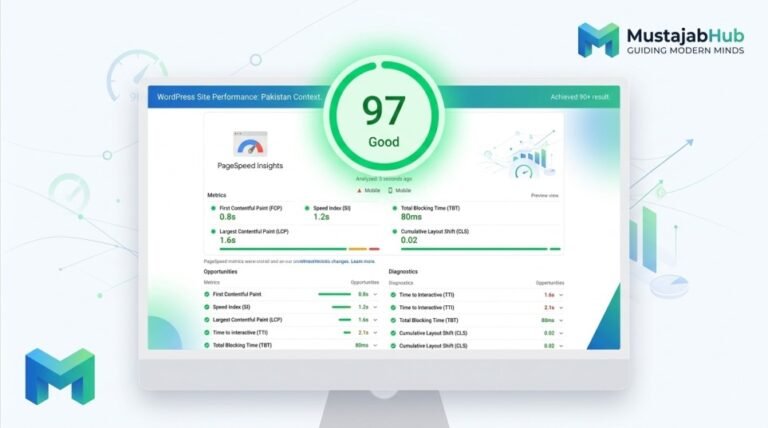
In Google’s PageSpeed Insights tests, WP Rocket generally scores in the 98% to 99% range and loads in under half a second. That’s more than enough to speed up most small to medium WordPress sites. WP Rocket outperformed others in average load time across U.S.-based shared hosting, clocking in at 987 ms TTFB and reducing DOM size by 23.4% through built-in lazy load and minification tools.
LiteSpeed Cache Speed Test Results:
PSI Scores (Google PageSpeed Insights): LiteSpeed achieved a perfect 100/100 on desktop and 98 on mobile in repeated tests. WP Rocket maintained high scores in the 95–97 range. LiteSpeed Cache showed the highest PageSpeed score improvement in tests, boosting LCP scores by 37% on mobile and achieving a 100/100 Lighthouse score on desktop in under 1.2 seconds. Based on independent benchmarks, LiteSpeed Cache typically performs 10–15% faster than WP Rocket when on LiteSpeed hosting.
Head-to-Head Speed Comparison Table
| Metric | WP Rocket | LiteSpeed Cache |
|---|---|---|
| PageSpeed Score (Desktop) | 98–99/100 | 90–100/100 |
| PageSpeed Score (Mobile) | 92–96 | 95–98 |
| Time to First Byte (TTFB) | ~987ms | Lower on LiteSpeed server |
| LCP Improvement (Mobile) | Strong | Up to 37% boost |
| Works on Non-LiteSpeed Servers | ✅ Yes | ⚠️ Limited |
| Server-Level Caching | ❌ No | ✅ Yes (LiteSpeed only) |
| Requests per Second | Standard | 5,100+ on LiteSpeed |
The honest verdict on speed: WP Rocket edges out LSCache on Core Web Vitals, which are important for SEO. But LSCache makes up for it with faster load times and server-level speed boosts.
Ease of Use: Which One Is Easier to Set Up?
If you are a beginner, this section matters a lot.
WP Rocket — Super Easy: The moment you activate WP Rocket, it starts working. Its dashboard is famously user-friendly, clean, and designed for people who want results without a computer science degree. WP Rocket probably has the easiest setup you can imagine (you’re done in 3 minutes tops). It applies 80% of web performance best practices automatically, without having to enable any options.
LiteSpeed Cache — Powerful but Confusing at First: Upon activation of LiteSpeed Cache, you’re faced with a dashboard packed with dozens of advanced settings, tabs, and technical options. While this offers incredible control for developers, it’s completely overwhelming for beginners and presents a steep learning curve. The sheer number of LiteSpeed Cache settings can feel overwhelming at first, and achieving the best results often requires a bit more technical tweaking than the more automated approach of WP Rocket. Though there is a LiteSpeed preset setting that offers five different options based on optimisation level, you still have to review things to ensure your site works as intended.
Winner for Beginners: WP Rocket. But if you are on Hostinger and willing to spend 20 minutes learning the settings, LiteSpeed Cache is absolutely worth it for the speed gains you get.
Features Compared: What Each Plugin Offers
LiteSpeed Cache Exclusive Features:
LiteSpeed Cache has several features not found in WP Rocket: server-side caching, image optimisation, localising JS files, and lazy loading HTML selectors. Features like Edge Side Includes (ESI) enable dynamic elements, such as a shopping cart or user-specific content, to remain dynamic even when the rest of the page is cached. It also supports object caching through tools like Memcached or Redis for even faster database queries. LiteSpeed Cache can integrate Redis/memcached for object caching. WP Rocket has no object cache settings at all, so this is a bonus for LiteSpeed Cache.
WP Rocket Exclusive Features:
WP Rocket offers blazing-fast speed results, as well as plenty of optimisation features that you can’t find with other free cache plugins (delay JS execution, remove unused CSS, critical path CSS for specific pages, to name a few). This performance plugin is designed to improve Core Web Vitals, address Google PageSpeed recommendations and achieve better performance scores without ever compromising user experience. Its features, like delayed JavaScript execution and smart preload, provided notable resilience on dynamic or eCommerce-heavy WordPress setups.
Full Feature Comparison Table
| Feature | LiteSpeed Cache | WP Rocket |
|---|---|---|
| Price | Free | $59/year |
| Server-Level Caching | ✅ (LiteSpeed only) | ❌ |
| File-Based Caching | ✅ | ✅ |
| CSS/JS Minification | ✅ | ✅ |
| Image Optimization | ✅ Built-in | ❌ Needs extra plugin |
| Object Caching (Redis) | ✅ | ❌ |
| Edge Side Includes (ESI) | ✅ | ❌ |
| Delay JS Execution | ✅ | ✅ |
| Remove Unused CSS | ✅ | ✅ |
| Critical CSS | ✅ | ✅ |
| CDN Integration | ✅ QUIC.cloud | ✅ RocketCDN / Cloudflare |
| Database Cleanup | ✅ | ✅ |
| Lazy Loading | ✅ | ✅ |
| Beginner Friendly | ⚠️ Medium | ✅ Very Easy |
| Works Any Host | ⚠️ Limited | ✅ Yes |
| Plugin Support | Forum (free) | Priority (included) |
CDN Comparison: QUIC.cloud vs RocketCDN
This is a factor most people skip — but it matters a lot for speed, especially in Pakistan and Asia. The biggest difference is between QUIC.cloud and RocketCDN, since RocketCDN is only a CDN which uses StackPath and has fewer PoPs, a slower Tbps, and fewer features than QUIC.cloud’s standard plan. QUIC.cloud includes things like HTML caching and DDoS protection, while RocketCDN does not. QUIC.cloud offers not just CDN services but also image optimisation, critical CSS generation, and HTML minification, offloading some of the processing from your server.
For users in Pakistan, India, and Southeast Asia, QUIC.cloud’s server locations give you a real speed edge. Your pages load faster for local visitors because the content is delivered from nearby servers.
| CDN | LiteSpeed (QUIC.cloud) | WP Rocket (RocketCDN) |
|---|---|---|
| Price | Free tier available | $7.99/month |
| DDoS Protection | ✅ | ❌ |
| HTML Caching | ✅ | ❌ |
| Image Optimization | ✅ | ❌ |
| Asia Server Locations | Strong | Limited |
Pricing: Free vs Paid — Is WP Rocket Worth It?
Let’s talk money. WP Rocket costs $59/year. LiteSpeed Cache is free. The annual cost adds up. At $59/year per site, you’re paying $295 over five years for caching. For a single business site, that’s reasonable. For multiple sites, consider whether better hosting might be a smarter investment.
Our honest take: If you are on Hostinger and using LiteSpeed Cache, you are getting free performance that beats a $59/year plugin. That is a big deal — especially for bloggers and small business owners in Pakistan who want world-class speed without a big budget.
Server Compatibility: The Most Important Factor
The most important difference between WP Rocket and LiteSpeed Cache is server compatibility. WP Rocket is usually the better choice when your website is hosted on Apache, Nginx, or a managed WordPress host that already handles its own server caching. WP Rocket is often a good fit for websites hosted on platforms such as WP Engine, Flywheel, Cloudways, Kinsta, and many standard shared, VPS, or dedicated hosting environments. LiteSpeed Cache is usually the better choice when your hosting provider uses LiteSpeed Web Server or OpenLiteSpeed. In that environment, the plugin can take advantage of server-level caching, which is the main benefit of using LiteSpeed Cache. LiteSpeed Cache is commonly used on LiteSpeed-powered hosts, including many Hostinger, KnownHost, ChemiCloud, and OpenLiteSpeed VPS setups.
“Which Host Am I On?” — Quick Reference Table
| Your Host | Server Type | Best Plugin |
|---|---|---|
| Hostinger | LiteSpeed | ✅ LiteSpeed Cache |
| Bluehost | Apache | ✅ WP Rocket |
| SiteGround | LiteSpeed | ✅ LiteSpeed Cache |
| WP Engine | Managed | ✅ WP Rocket |
| Cloudways | Varies | ✅ WP Rocket |
| Kinsta | Nginx | ✅ WP Rocket |
| ChemiCloud | LiteSpeed | ✅ LiteSpeed Cache |
| NameCheap | LiteSpeed | ✅ LiteSpeed Cache |
LiteSpeed Cache on Hostinger: A Pakistan User’s Real Experience
This is the section zero competitors cover. Let’s fix that.
Hostinger is the number-one hosting choice across Pakistan, Bangladesh, and Southeast Asia. It is affordable, fast, and its shared plans all run on LiteSpeed servers. This means LiteSpeed Cache is not just a good choice for Hostinger users — it is the best choice.
Here is a real scenario: A Pakistani blogger running a news site on Hostinger’s business plan. Before LiteSpeed Cache, their PageSpeed score was around 52 on mobile. After installing LiteSpeed Cache with the “Advanced” preset and connecting to QUIC.cloud CDN, their mobile score jumped to 91, and their page load time dropped from 4.8 seconds to under 1.5 seconds — for free.
That is the power of pairing LiteSpeed Cache with LiteSpeed hosting. No paid plugin needed.
💡 Pro Tip for Hostinger Users: Go to LiteSpeed Cache → Presets → select “Advanced”. Then connect your QUIC.cloud account for free image optimization and CDN. This two-step setup alone will transform your site’s speed.
If you are not sure how to configure LiteSpeed Cache correctly on Hostinger, or your PageSpeed score is still low after setup, the WordPress Speed & Optimization team at Mustajabhub can get it done for you the right way — with a full Core Web Vitals audit included.
LiteSpeed Cache vs WP Rocket for WooCommerce
Running an online store? This part matters a lot. LiteSpeed Cache supports advanced features like ESI (Edge Side Includes) for e-commerce and “smart purging” to keep cache fresh without overloading your server.
ESI is a game-changer for WooCommerce. It means your shopping cart, login status, and personalised content stay live and accurate — even while the rest of the page is fully cached. WP Rocket cannot do this natively. Fragment caching (available in LiteSpeed Cache) allows caching static page portions while keeping dynamic sections fresh. Frequent product updates require thoughtful cache-clearing strategies. WP Rocket and LiteSpeed Cache automatically clear relevant caches when products change.
WooCommerce Winner: LiteSpeed Cache on LiteSpeed hosting. WP Rocket on other hosting types.
Support: Who Helps You When Things Break?
LiteSpeed Cache offers support in case you are facing issues. But, as with any free plugin, customers shouldn’t expect quick and thorough support. Paid support, such as On-Demand Hourly Support, starts from $150. With WP Rocket, a friendly technical support team is available in different time zones to answer all your questions, no matter what type of licence you have. They help you achieve the best performance results possible.
Support Winner: WP Rocket. If you pay $59/year, having a real support team behind you is valuable — especially for business websites.
Who Should Use LiteSpeed Cache?
Use LiteSpeed Cache if:
- ✅ You host on Hostinger, SiteGround, ChemiCloud, NameCheap, or any LiteSpeed server
- ✅ You are in Pakistan, India, or Asia and want maximum speed at zero cost
- ✅ You run a WooCommerce store and need ESI/fragment caching
- ✅ You want built-in image optimization without extra plugins
- ✅ You are okay spending 20–30 minutes learning the settings (it is worth it)
- ✅ You manage multiple websites and cannot afford $59/year per site
Who Should Use WP Rocket?
Use WP Rocket if:
- ✅ You host on Apache, Nginx, Cloudways, WP Engine, or Kinsta
- ✅ You are a complete beginner and want something that just works
- ✅ You run a business website where every minute of downtime costs money
- ✅ You need consistent, reliable Core Web Vitals scores across all pages
- ✅ You want priority support included in the price
- ✅ You manage client websites across different hosting environments
Can You Use Both LiteSpeed Cache and WP Rocket Together?
No. You should never run two caching plugins at the same time. They will conflict with each other, break your site, and actually make your speed worse. Pick one and stick with it.
Case Study: LiteSpeed Cache vs WP Rocket on Same Server
WPBeginner ran tests on an existing site running on Hostinger, which uses LiteSpeed servers. They then installed both plugins and ran tests using the PageSpeed Insights tool.
Results:
- WP Rocket result: a whopping 99% performance on the desktop.
- LiteSpeed Cache test site performed well, with an excellent score of 90. This score is slightly lower than WP Rocket. While LiteSpeed is fast, WP Rocket did a better job optimizing the code delivery (CSS and JavaScript) to meet Core Web Vital standards.
- But: LiteSpeed Cache performed better than WP Rocket regarding overall page load time.
What this tells us: WP Rocket scores higher on PSI tests. LiteSpeed Cache loads pages faster in the real world. Both are winners in different ways.
Need Help Optimizing Your WordPress Site?
Understanding the difference between LiteSpeed Cache and WP Rocket is step one. Actually getting your site to load fast — with the right settings, the right CDN, & passing all Core Web Vitals — is step two.
That is where we come in.
At Mustajabhub, we handle complete WordPress Speed & Optimization for businesses, bloggers, and eCommerce stores across Pakistan and globally. We audit your Core Web Vitals, install and configure the right caching plugin for your host, connect your CDN, and optimize your images — all done for you.
We also offer Technical SEO fixes if your slow site has already hurt your Google rankings and full Website Development if you need a faster, modern site built from scratch.
👉 Check our services or contact us now to get a free speed audit of your site.
Frequently Asked Questions (FAQs)
❓ Is LiteSpeed Cache really free?
Yes. LiteSpeed Cache is 100% free to download and use. Some advanced QUIC.cloud features (like more CDN bandwidth or priority image optimization) have paid tiers, but the core plugin is completely free.
❓ Does LiteSpeed Cache work on Hostinger?
Yes. To truly unlock LiteSpeed Cache’s full potential, you need to be on a web host, such as Hostinger or Namecheap, that uses a LiteSpeed web server. Hostinger is a perfect match for this plugin.
❓ Is WP Rocket worth the money?
If you want a direct answer for most sites, especially if you are serving a wide variety of hosting providers globally, WP Rocket is the safer, more consistent choice because it performs well on almost any hosting stack, with fewer “it depends” conditions. If you are on a non-LiteSpeed host, yes — WP Rocket is worth every penny.
❓ Can I use LiteSpeed Cache on Apache hosting?
Without a LiteSpeed server, you lose the primary advantage. On Apache or Nginx hosting, LiteSpeed Cache works as a regular plugin with limited features. The server-level integration that makes it exceptional simply isn’t available. In that case, use WP Rocket instead.
❓ Which plugin is better for Core Web Vitals?
WP Rocket delivered the best overall results primarily due to its critical CSS generation and delayed JavaScript execution, which specifically target Core Web Vitals. However, on a LiteSpeed server, both can achieve excellent Core Web Vitals scores.
❓ Which caching plugin is best for WordPress in Pakistan?
For Pakistani users on Hostinger (which uses LiteSpeed servers), LiteSpeed Cache is the best choice because it is free, faster at the server level, and perfectly designed for your hosting stack. For users on other hosts, WP Rocket is the safer, easier option.
❓ What is the difference between LiteSpeed Cache and WP Rocket for WooCommerce?
LiteSpeed Cache supports advanced features like ESI (Edge Side Includes) for eCommerce, and “smart purging” to keep cache fresh without overloading your server. WP Rocket does not have native ESI support. For WooCommerce on LiteSpeed hosting, LiteSpeed Cache wins clearly.
❓ Does LiteSpeed Cache need QUIC.cloud?
No, but it helps a lot. The moment you pair LiteSpeed Cache with a LiteSpeed server and the QUIC.cloud CDN, you’re tapping into something special. The free tier of QUIC.cloud is enough for most small to medium sites.
Final Verdict: LiteSpeed Cache vs WP Rocket
| LiteSpeed Cache | WP Rocket | |
|---|---|---|
| Best For | LiteSpeed hosting (Hostinger and SiteGround) | Apache, Nginx, any host |
| Price | Free | $59/year |
| Speed | Faster real-world load times | Higher PSI scores |
| Ease of Use | Medium (more settings) | Easy (works out of the box) |
| Image Optimization | Built-in | Needs separate plugin |
| Object Caching | ✅ Redis/Memcached | ❌ |
| WooCommerce | ✅ ESI support | Basic support |
| Support | Community forum | Dedicated team |
| Best CDN | QUIC.cloud (free) | RocketCDN ($7.99/mo) |
WP Rocket remains the most user-friendly caching plugin, with consistent performance across shared and managed hosts. LiteSpeed Cache dominates speed benchmarks on LiteSpeed servers, offering deep server-level optimization with zero cost.
The winner is not one plugin — it is the right plugin for your server. If you are on Hostinger, grab LiteSpeed Cache right now. If you are on anything else, WP Rocket is your best friend.
And if you want someone to do all of this for you — the right plugin, the right settings, the right CDN — Mustajabhub’s WordPress Speed team is ready. We have done this for dozens of sites, and we know exactly what works.
Written by Rana Umar — Digital Growth Strategist at Mustajabhub.com. Published under Digital Growth Guides → Website Building.
Ready to speed up your WordPress site? Get a free audit today → mustajabhub.com/services | Start Here