


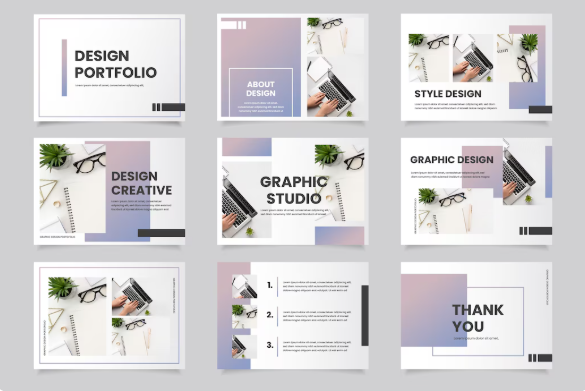
If you want freelance work in 2026 or in any era? A strong portfolio is your first ticket which is the view of your skills of and proposal to viewers and to the clients. Because clients don’t hire promises — they hire proof. A good freelance portfolio website or a simple freelancer website portfolio shows what you can do and helps you win jobs faster also free templates website in the last for you to use in them in your portfolio for free (without any copyright restrictions).
This guide is for beginners and students. I’ll show simple steps: how to make a portfolio, what to put inside (even with zero experience), and easy tips to make a freelance portfolio website examples that clients like. No fancy words. No long theory. Just practical steps you can do today.
What is a freelancing portfolio? (a freelance portfolio meaning)
A freelance portfolio is a collection and visual of your best work. It shows examples to your cleints like your writing pieces, your designs, your websites works, or the marketing campaigns. For many clients, the portfolio matters more than your resume. It proves that you can do the job before and you are experienced.
Think of it like a shop window you see in real life. If the shop looks good, people trust it. Same for your portfolio.
Why have a freelance portfolio website in 2026?
Most clients look online first. A freelance portfolio website makes you easy to find.
Sites like Behance, Dribbble, Upwork and Hostinger show that portfolios attract real clients.
You can show different types: freelance writer portfolio, freelance web developer portfolio, freelance graphic designer portfolio, freelance marketing portfolio and more.
Even a simple freelance portfolio sample pdf or a freelance portfolio template will work when you start.
Which portfolio type should you pick? (choices quick)
Freelance writer portfolio / content writer portfolio — best for the writers & for the content creators.
Freelance graphic designer portfolio — Good for designers who like graphics (use Behance or Dribbble).
Freelance web developer portfolio / Freelance developer portfolio — It’s show live sites or free subdomain websites or GitHub repos.
Freelance marketing / Digital marketing portfolio — it’s show the campaigns, the analytics screenshots, ad copies + ROI + COS etc.
Simple single-page freelance portfolio website — Best for the beginners who just started.
You can have many types, but start with 1 main type and add more later.
Step 1 — Pick your platform (freelance portfolio sites)
You don’t need to build a site from zero today. Use these easy platforms:
Behance / Dribbble — Best for designers (great freelance portfolio website examples).
Wix / WordPress / Hostinger — Easy to build a personal freelance portfolio website.
JournoPortfolio — Great for writers (see freelance writing portfolio examples).
GitHub + simple site — Best for freelance web developer portfolio.
Fiverr / Upwork profile + portfolio — Quick start as a gig seller (see how to make freelance portfolio on Upwork).
If you want a fast site: use Wix or Copyfolio templates. If you prefer free and quick, make a PDF portfolio (freelance portfolio sample pdf) and send it to clients (Free templates details in the end of this blog).
Step 2 — Decide what to put inside (freelance portfolio examples)
If you have zero paid work, make mock projects. Real clients prefer good examples over many low-quality links. Use 3–6 best works:
For writers: 2–3 articles, 1 product description, a content calendar example. (See freelance writer portfolio / freelance writing portfolio examples.)
For designers: 6 – 8 images, 1 logo case study with theme, 1 – 2 social media campaign. (Use Behance or Dribbble for visual inspiration.)
For devs: 2 – 3 live websites, GitHub code links, a short case study for each project. (Look at freelance web developer portfolio examples on Hostinger.)
For marketers: ad copy, screenshot of growth or analytics, email campaign samples (freelance marketing portfolio, freelance digital marketing portfolio).
Write a short note for each sample: what problem client had, what you did, and results. Even small numbers (like “increased clicks by 10%”) work.
Step 3 — Create real samples fast (how to make a portfolio for freelance work beginner)
If you are beginner, do these mini projects:
Writer: write 2 blog posts (300–500 words). Publish them on a free blog or Google Docs.
Designer: make 4 social media posts + 1 logo in Canva.
Developer: make a simple landing page and host it on GitHub Pages.
Marketer: make a 1-page strategy showing how you’d promote a local shop.
These are freelance portfolio examples for beginners. Put them in your portfolio and show them proudly.
Step 4 — Use a freelance portfolio template (fast method)
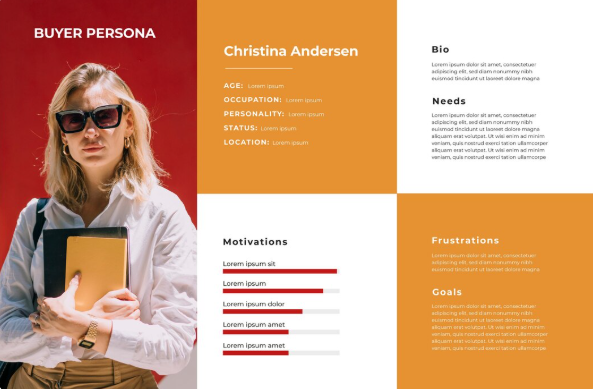
If you want speed, use a freelance portfolio template:
Many templates from Wix or WordPress come with ready sections: About, Work, Contact.
Copyfolio and JournoPortfolio have writer templates.
Hostinger tutorials show nice freelance portfolio website examples and templates for developers.
A template makes your portfolio look clean, even if you are new.
Step 5 — Make your portfolio SEO friendly (so clients find you)
If you have a website, do these small SEO steps:
Title tag: “Freelance writer portfolio — [Your Name]” or “Freelance web developer portfolio”
Slugs: use simple names like /portfolio or /writing-samples
Add your researched based keywords naturally in it: e.g., “freelance portfolio website”, “freelance writer portfolio”, “freelance graphic designer portfolio”
Add a short intro with your main skill and location: “Freelance writer and content writer portfolio — Pakistan”
Show contact info and a link to download freelance portfolio sample pdf
This helps people find your freelance portfolio website and your freelance portfolio examples.
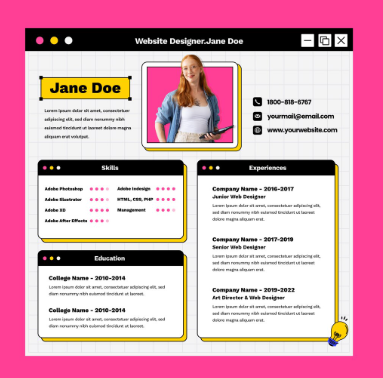
Step 6 — Add case studies & short descriptions (how to build a freelance portfolio)
Clients love results. For each sample write:
Project name (small)
What client wanted (1–2 lines)
What you did (3–4 bullet points)
Result (numbers or outcome) — even small gains look good
This is how to make a portfolio for freelance work that looks professional and honest.
Step 7 — Use multiple places: site + platforms (freelance portfolio sites)
Don’t rely on only one place. Good combo:
Your freelance portfolio website (main place)
Behance / Dribbble for design samples
JournoPortfolio or Contently for writers
GitHub for dev projects
Upwork / Fiverr profile with portfolio items
This combo covers many client types and shows you’re serious. Use links between them.
Step 8 — Make a small PDF sample (freelance portfolio sample pdf)
A freelance portfolio sample pdf is useful for quick emails. Make a 2–3 page PDF with:
Cover (name + title like “Freelance Graphic Designer Portfolio”)
3 best samples with short case study lines
Contact info and link to main website
PDF is easy to send and looks professional.
Step 9 — Use portfolio examples & inspiration (learn from best)
Look at examples to copy good ideas: Behance, Dribbble, Hostinger’s web developer example lists, Wix design examples, Copyfolio writing portfolios. Study layout, font, how they show work. Then make your own simple version.
Some good places to view examples:
Behance (design inspiration)
Dribbble (visual ideas)
Hostinger tutorial (web developer examples)
Copyfolio blog (writing portfolios)
JournoPortfolio examples (writer portfolios)
These show how pro portfolios look.
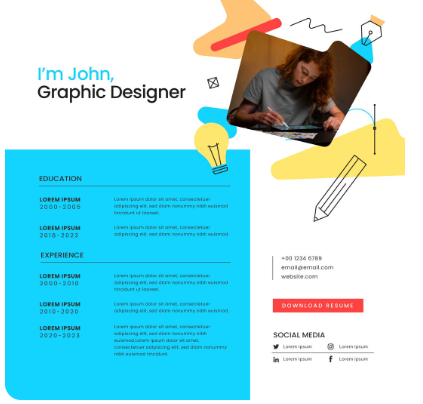
Step 10 — Portfolio content ideas by niche (quick list)
Freelance writing portfolio / content writer portfolio: blog posts, guest posts, product descriptions
Freelance graphic designer portfolio: social posts, brand identity, packaging mockups
Freelance web developer portfolio: live sites, code link, GitHub repo, performance screenshots
Freelance marketing / digital marketing portfolio: ad creatives, analytics screenshots, email campaign samples
Include enough samples that show variety but keep quality high. Better 6 strong pieces than 20 weak ones.
Free Portfolio Templates You Can Use Right Now
If you are new and don’t know how to design, you can start with a free portfolio template from FreeTemplateHub. Their layouts are simple and easy to edit, and you can publish fast: https://freetemplatehub.com/
Beginners who want a clean look without coding can try Tooplate. You just download any free template, change the text, add your work, and your portfolio is ready to share: https://www.tooplate.com/free-templates
If you want more options, ATemplate has many free portfolio and blog templates for writers, designers, developers, and marketers. You can pick any style that fits your freelance work: https://atemplate.com/
How to add these keywords naturally (I used them here for you to understand the keywords)
I included many real phrases so your post ranks when people search these terms: freelance portfolio website, freelancer website portfolio, freelance writer portfolio, content writer portfolio, freelance writing portfolio examples, freelance web developer portfolio, freelance marketing portfolio, freelance digital marketing portfolio, freelance graphic designer portfolio, freelance developer portfolio, freelance portfolio examples, freelance portfolio template, freelance portfolio sample pdf, freelance portfolio website examples, freelance portfolio examples for beginners, freelance portfolio meaning, how to make freelance portfolio, how to build a freelance portfolio, how to make a portfolio for freelance work beginner, how to create a freelance writing portfolio, and freelance portfolio sites. These appear naturally across headings and examples — not stuffed.
Quick freelance portfolio checklist for Beginners (Copy-Paste it)
Pick platform: Wix / WordPress / Behance / GitHub.
Add 3–6 best samples (mock ok).
Write short case study for each sample.
Add contact & call to action (CTA: “Hire me — contact”).
Create a PDF version (freelance portfolio sample pdf).
Share on Upwork/Fiverr/LinkedIn and portfolio sites.
Ask first clients for reviews and add them to your portfolio in Review section.
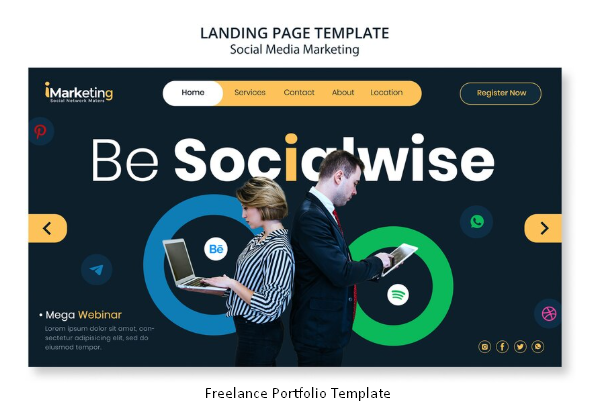
FAQ — Common questions beginners ask
Q: How to make freelance portfolio if I have no clients?
A: Make mock projects or volunteer work. Show real process: brief → design/writing → final. Tell what you learned. Clients like honesty.
Q: What is the best freelance portfolio website to show to clients?
A: There’s no one best but which explain much to the client needs is the best always. For designers: Behance or Dribbble. For writers: JournoPortfolio or Contently. For devs: GitHub + personal site. For beginners, Wix or a simple WordPress site 2-3 pages is works great.
Q: How many pieces should I include in my portfolio ?
A: 5–8 strong pieces. If you have less, add small case studies or sample pdf pages.
Q: Should I use templates?
A: Yes. Freelance portfolio template helps you start quick. Choose a clean template; don’t use too many colors.
Q: How to send portfolio to clients?
A: Use the web link + attach a 1–2 page freelance portfolio sample pdf for quick email. Always add a short note: “Hi, here is my sample. I can do similar for you.”
Final small human tip (Real talk)
Don’t wait for perfect. Many beginners wait months for perfect portfolio. Start with simple samples, post them, and improve slowly. Clients care more about results than perfect design. Fix small mistakes, keep learning, and add real client work when you get it.